
32 lines
899 B
Markdown
32 lines
899 B
Markdown
---
|
|
slug: use-code-docs
|
|
title: 使用VS Code写一篇文档
|
|
author: chuyaoyuan
|
|
author_title: cyy
|
|
author_url: https://github.com/chuyaoyuan
|
|
author_image_url: https://s3.ax1x.com/2021/02/26/6SEr4g.jpg
|
|
tags: [hello, chuyaoyuan]
|
|
---
|
|
|
|
Welcome to this site. This site is created .
|
|
欢迎来到这里。code-docs
|
|
|
|
### 使用
|
|
|
|
1. [Git](https://git-scm.com/downloads)_.Git安装
|
|
1. [Node](https://nodejs.org/en/download/) (version 12 or greater)_.Node版本在12以上
|
|
1. [https://github.com/Chuyaoyuan/code-docs.git](https://github.com/Chuyaoyuan/code-docs.git) (git pull)_.使用Git下载代码
|
|
1. 在工程目录下安装Node依赖.
|
|
```bash
|
|
npm install 或 cnpm install
|
|
```
|
|
5. 运行一下.
|
|
```bash
|
|
npm run serve
|
|
```
|
|
### VS Code编辑
|
|
|
|
1. `file-open` 打开编辑器,开始编写之旅.
|
|
[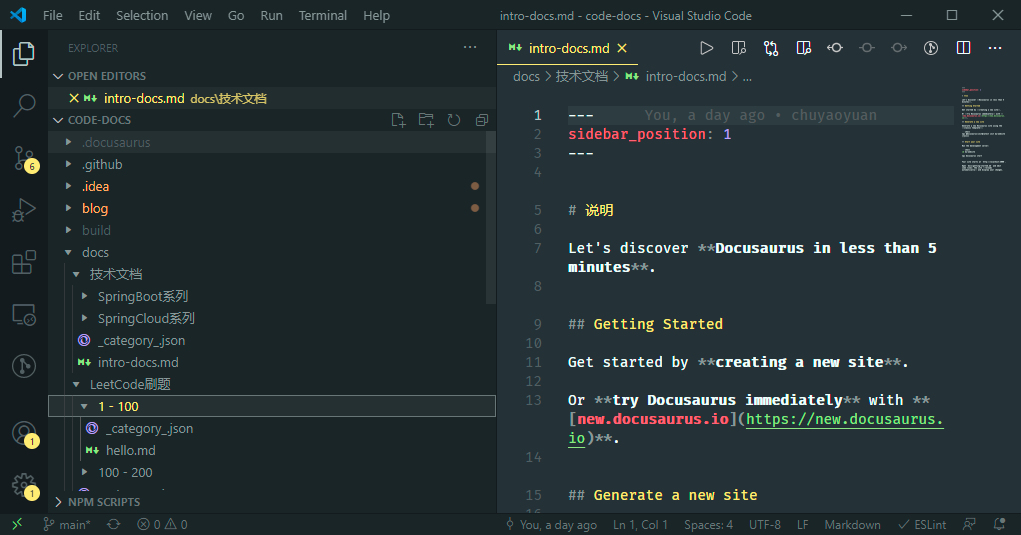](http://docs.yaoyuan.io)
|
|
1. `done` 结束.
|