Compare commits
15 Commits
243bd660e0
..
v2
| Author | SHA1 | Date | |
|---|---|---|---|
 Chuyaoyuan Chuyaoyuan
|
783779f4ae | ||
|
Chuyaoyuan
|
697d3773c8 | ||
|
Chuyaoyuan
|
c44855e573 | ||
|
Chuyaoyuan
|
da65b3e73d | ||
|
Chuyaoyuan
|
dd96d763b6 | ||
|
Chuyaoyuan
|
64582c4a57 | ||
|
Chuyaoyuan
|
afd35da17f | ||
|
Chuyaoyuan
|
a2567c1865 | ||
|
Chuyaoyuan
|
8427bc93ac | ||
|
Chuyaoyuan
|
a29e19b4d5 | ||
 BohouZhang BohouZhang
|
81059620ee | ||
|
Chuyaoyuan
|
357c4d37f2 | ||
|
Chuyaoyuan
|
c22c77d3b7 | ||
|
Chuyaoyuan
|
1774f5e892 | ||
|
Chuyaoyuan
|
a03f416199 |
@@ -0,0 +1,57 @@
|
|||||||
|
name: Deploy to Production
|
||||||
|
|
||||||
|
on:
|
||||||
|
push:
|
||||||
|
branches: [main]
|
||||||
|
pull_request:
|
||||||
|
branches: [main]
|
||||||
|
|
||||||
|
jobs:
|
||||||
|
build:
|
||||||
|
name: Build
|
||||||
|
runs-on: ubuntu-latest
|
||||||
|
steps:
|
||||||
|
- uses: actions/checkout@v4
|
||||||
|
|
||||||
|
- uses: actions/setup-node@v4
|
||||||
|
with:
|
||||||
|
node-version: '20'
|
||||||
|
cache: 'npm'
|
||||||
|
|
||||||
|
- name: Install dependencies
|
||||||
|
run: npm ci
|
||||||
|
|
||||||
|
- name: Build
|
||||||
|
run: npm run build
|
||||||
|
env:
|
||||||
|
ALGOLIA_APP_ID: ${{ secrets.ALGOLIA_APP_ID }}
|
||||||
|
ALGOLIA_API_KEY: ${{ secrets.ALGOLIA_API_KEY }}
|
||||||
|
|
||||||
|
- name: Upload build artifact
|
||||||
|
if: github.ref == 'refs/heads/main' && github.event_name == 'push'
|
||||||
|
uses: actions/upload-artifact@v4
|
||||||
|
with:
|
||||||
|
name: build
|
||||||
|
path: build/
|
||||||
|
retention-days: 1
|
||||||
|
|
||||||
|
deploy:
|
||||||
|
name: Deploy
|
||||||
|
needs: build
|
||||||
|
runs-on: ubuntu-latest
|
||||||
|
if: github.ref == 'refs/heads/main' && github.event_name == 'push'
|
||||||
|
steps:
|
||||||
|
- name: Download build artifact
|
||||||
|
uses: actions/download-artifact@v4
|
||||||
|
with:
|
||||||
|
name: build
|
||||||
|
path: build/
|
||||||
|
|
||||||
|
- name: Deploy via FTP
|
||||||
|
uses: SamKirkland/FTP-Deploy-Action@v4.3.5
|
||||||
|
with:
|
||||||
|
server: ${{ secrets.FTP_SERVER }}
|
||||||
|
username: ${{ secrets.FTP_USER }}
|
||||||
|
password: ${{ secrets.FTP_PWD }}
|
||||||
|
local-dir: ./build/
|
||||||
|
server-dir: code-docs/www/
|
||||||
@@ -1,28 +0,0 @@
|
|||||||
on: push
|
|
||||||
name: 🚀 Deploy website on push
|
|
||||||
jobs:
|
|
||||||
web-deploy:
|
|
||||||
name: 🎉 Deploy
|
|
||||||
runs-on: ubuntu-latest
|
|
||||||
steps:
|
|
||||||
- name: 🚚 Get latest code
|
|
||||||
uses: actions/checkout@v2.3.2
|
|
||||||
|
|
||||||
- name: Use Node.js 12
|
|
||||||
uses: actions/setup-node@v2-beta
|
|
||||||
with:
|
|
||||||
node-version: '12'
|
|
||||||
|
|
||||||
- name: 🔨 Build Project
|
|
||||||
run: |
|
|
||||||
npm install
|
|
||||||
npm run build
|
|
||||||
|
|
||||||
- name: 📂 Sync files
|
|
||||||
uses: SamKirkland/FTP-Deploy-Action@4.0.0
|
|
||||||
with:
|
|
||||||
server: ${{ secrets.ftp_server }}
|
|
||||||
username: ${{ secrets.ftp_user }}
|
|
||||||
password: ${{ secrets.ftp_pwd }}
|
|
||||||
local-dir: ./build/
|
|
||||||
server-dir: code-docs/www/
|
|
||||||
@@ -108,3 +108,10 @@ dist
|
|||||||
build
|
build
|
||||||
|
|
||||||
.idea
|
.idea
|
||||||
|
|
||||||
|
# macOS
|
||||||
|
.DS_Store
|
||||||
|
|
||||||
|
# Environment variables (never commit secrets)
|
||||||
|
.env.local
|
||||||
|
.env.*.local
|
||||||
@@ -0,0 +1,252 @@
|
|||||||
|
# CodeDocs 内容架构规划
|
||||||
|
|
||||||
|
## 愿景
|
||||||
|
为全栈、全端工程师打造一个**可查、可参考、可速查**的技术文档与知识库,覆盖从底层原理、框架实战、到面试突破的全链路。
|
||||||
|
|
||||||
|
## 一级分类(顶部菜单)
|
||||||
|
|
||||||
|
### 1. 📚 技术文档
|
||||||
|
主要技术栈与框架学习
|
||||||
|
|
||||||
|
#### 1.1 ⚙️ 后端技术
|
||||||
|
**目标用户**: 后端工程师、全栈开发者
|
||||||
|
|
||||||
|
- **Java 生态**
|
||||||
|
- Spring Framework / Spring Boot / Spring Cloud
|
||||||
|
- 核心概念 (IoC, AOP, Bean 生命周期)
|
||||||
|
- 常用注解与配置方式
|
||||||
|
- 微服务架构与分布式方案
|
||||||
|
- 性能优化与监控
|
||||||
|
- JVM 优化与性能调试
|
||||||
|
- 并发编程 (ThreadPool, Lock, Concurrent 工具)
|
||||||
|
|
||||||
|
- **数据库与缓存**
|
||||||
|
- SQL 优化与查询计划
|
||||||
|
- MySQL 索引设计与事务管理
|
||||||
|
- NoSQL (Redis, MongoDB)
|
||||||
|
- 分布式缓存方案
|
||||||
|
|
||||||
|
- **消息队列与异步**
|
||||||
|
- RabbitMQ / Kafka / RocketMQ
|
||||||
|
- 事件驱动架构
|
||||||
|
|
||||||
|
- **分布式系统**
|
||||||
|
- 一致性 (Raft, Consensus)
|
||||||
|
- 服务治理 (Nacos, Consul)
|
||||||
|
- 链路追踪 (Jaeger, SkyWalking)
|
||||||
|
|
||||||
|
#### 1.2 ⚛️ 前端开发
|
||||||
|
**目标用户**: 前端工程师、全栈开发者
|
||||||
|
|
||||||
|
- **核心框架**
|
||||||
|
- React
|
||||||
|
- Hooks 深度解析
|
||||||
|
- 状态管理 (Redux, Zustand, Jotai)
|
||||||
|
- 性能优化 (Code Splitting, Memo, Lazy)
|
||||||
|
- SSR / SSG 方案
|
||||||
|
- Vue 3
|
||||||
|
- Composition API 最佳实践
|
||||||
|
- 响应性原理
|
||||||
|
- Pinia 状态管理
|
||||||
|
|
||||||
|
- **工程化**
|
||||||
|
- 构建工具 (Webpack, Vite, Turbopack)
|
||||||
|
- 包管理 (npm, pnpm, yarn)
|
||||||
|
- CI/CD 流程
|
||||||
|
|
||||||
|
- **性能与体验**
|
||||||
|
- Web 性能指标 (LCP, FID, CLS)
|
||||||
|
- 渲染优化
|
||||||
|
- 网络优化 (CDN, 压缩)
|
||||||
|
|
||||||
|
- **跨端开发**
|
||||||
|
- React Native
|
||||||
|
- Electron
|
||||||
|
- 小程序 (微信、支付宝)
|
||||||
|
|
||||||
|
#### 1.3 🧠 算法与面试
|
||||||
|
**目标用户**: 求职者、算法爱好者
|
||||||
|
|
||||||
|
- **数据结构**
|
||||||
|
- 数组、链表、栈、队列
|
||||||
|
- 树 (二叉树、AVL、红黑树、B 树)
|
||||||
|
- 图
|
||||||
|
- 堆、优先队列
|
||||||
|
|
||||||
|
- **经典算法**
|
||||||
|
- 排序与查找
|
||||||
|
- 动态规划
|
||||||
|
- 贪心算法
|
||||||
|
- 回溯与递归
|
||||||
|
|
||||||
|
- **编程面试题**
|
||||||
|
- 按类型分类 (String, Array, Tree, Graph, DP)
|
||||||
|
- 按难度分级
|
||||||
|
- 按公司出现频率分类
|
||||||
|
|
||||||
|
- **系统设计**
|
||||||
|
- 高并发架构设计
|
||||||
|
- 分布式系统设计
|
||||||
|
- 大数据处理
|
||||||
|
|
||||||
|
---
|
||||||
|
|
||||||
|
## 二级分类 - 导航示例
|
||||||
|
|
||||||
|
### 技术文档 > 后端技术
|
||||||
|
```
|
||||||
|
├── Spring 全家桶
|
||||||
|
│ ├── Spring Core (IoC, AOP)
|
||||||
|
│ ├── Spring MVC
|
||||||
|
│ ├── Spring Boot 实战
|
||||||
|
│ ├── Spring Cloud 微服务
|
||||||
|
│ └── Spring Data
|
||||||
|
├── JVM 与性能
|
||||||
|
│ ├── JVM 内存模型
|
||||||
|
│ ├── GC 调优
|
||||||
|
│ └── 性能分析工具
|
||||||
|
├── 并发编程
|
||||||
|
│ ├── 线程基础
|
||||||
|
│ ├── 锁与同步
|
||||||
|
│ ├── Concurrent 工具类
|
||||||
|
│ └── 实战案例
|
||||||
|
└── 数据库
|
||||||
|
├── MySQL 核心
|
||||||
|
├── 索引优化
|
||||||
|
├── 事务与隔离
|
||||||
|
└── 分布式事务
|
||||||
|
```
|
||||||
|
|
||||||
|
### 技术文档 > 前端开发
|
||||||
|
```
|
||||||
|
├── React 进阶
|
||||||
|
│ ├── Hooks 深入
|
||||||
|
│ ├── 状态管理对比
|
||||||
|
│ ├── 性能优化
|
||||||
|
│ └── Next.js / Remix
|
||||||
|
├── 工程化实践
|
||||||
|
│ ├── 构建系统选型
|
||||||
|
│ ├── 测试体系
|
||||||
|
│ ├── 发布流程
|
||||||
|
│ └── 监控与错误追踪
|
||||||
|
└── 跨端方案
|
||||||
|
├── React Native
|
||||||
|
├── Electron
|
||||||
|
└── 小程序开发
|
||||||
|
```
|
||||||
|
|
||||||
|
---
|
||||||
|
|
||||||
|
## 三级结构示例
|
||||||
|
|
||||||
|
每个主题采用标准化格式:
|
||||||
|
|
||||||
|
```
|
||||||
|
## 主题名称
|
||||||
|
|
||||||
|
### 📌 核心概念
|
||||||
|
- 定义与原理
|
||||||
|
- 为什么需要它
|
||||||
|
|
||||||
|
### 🔧 实践指南
|
||||||
|
- 快速开始
|
||||||
|
- 常见用法
|
||||||
|
- 最佳实践
|
||||||
|
|
||||||
|
### ⚡ 性能优化
|
||||||
|
- 性能指标
|
||||||
|
- 瓶颈分析
|
||||||
|
- 优化方案
|
||||||
|
|
||||||
|
### 🎯 面试必考
|
||||||
|
- 高频问题
|
||||||
|
- 答题思路
|
||||||
|
- 深度扩展
|
||||||
|
|
||||||
|
### 📚 参考资源
|
||||||
|
- 官方文档
|
||||||
|
- 推荐阅读
|
||||||
|
- 代码示例
|
||||||
|
```
|
||||||
|
|
||||||
|
---
|
||||||
|
|
||||||
|
## 2️⃣ 🛠️ 工具与资源(待扩展)
|
||||||
|
|
||||||
|
- **最佳实践**: 设计模式、代码规范、安全实践
|
||||||
|
- **常用链接**: 文档汇总、在线工具、社区论坛
|
||||||
|
- **推荐阅读**: 经典书籍、论文、博客精选
|
||||||
|
|
||||||
|
---
|
||||||
|
|
||||||
|
## 3️⃣ 📝 Blog
|
||||||
|
- 技术分享
|
||||||
|
- 学习笔记
|
||||||
|
- 行业资讯
|
||||||
|
|
||||||
|
---
|
||||||
|
|
||||||
|
## 内容组织策略
|
||||||
|
|
||||||
|
### 按学习路径分级
|
||||||
|
1. **快速入门** (⏱️ 5-10分钟)
|
||||||
|
- 适合初学者快速上手
|
||||||
|
|
||||||
|
2. **深度学习** (⏱️ 30分钟-1小时)
|
||||||
|
- 详细讲解原理与实践
|
||||||
|
|
||||||
|
3. **性能与优化** (⏱️ 1-2小时)
|
||||||
|
- 高级技巧与优化方案
|
||||||
|
|
||||||
|
4. **面试突破** (⏱️ 灵活)
|
||||||
|
- 高频问题与答题框架
|
||||||
|
|
||||||
|
### 搜索与过滤支持
|
||||||
|
- 按难度筛选
|
||||||
|
- 按学习时间筛选
|
||||||
|
- 按使用频率筛选
|
||||||
|
- 按技术栈筛选
|
||||||
|
|
||||||
|
---
|
||||||
|
|
||||||
|
## 实施优先级
|
||||||
|
|
||||||
|
### Phase 1 (当前)
|
||||||
|
- ✅ 首页设计升级(蓝色悬停动效)
|
||||||
|
- ✅ 多级菜单配置
|
||||||
|
- ✅ 内容分类框架
|
||||||
|
|
||||||
|
### Phase 2
|
||||||
|
- 迁移现有内容到新分类
|
||||||
|
- 补充 Spring 系列完整文档
|
||||||
|
- 补充 React 进阶指南
|
||||||
|
|
||||||
|
### Phase 3
|
||||||
|
- 补充算法与面试题库
|
||||||
|
- 添加交互式代码编辑器
|
||||||
|
- 性能与搜索优化
|
||||||
|
|
||||||
|
### Phase 4
|
||||||
|
- 用户反馈收集与迭代
|
||||||
|
- 内容深化与补充
|
||||||
|
- 社区建设
|
||||||
|
|
||||||
|
---
|
||||||
|
|
||||||
|
## 目标数据
|
||||||
|
|
||||||
|
| 指标 | 当前 | 目标 |
|
||||||
|
|-----|------|------|
|
||||||
|
| 文档页面数 | ~30 | 200+ |
|
||||||
|
| 一级分类 | 3 | 4+ |
|
||||||
|
| 二级分类 | ~6 | 15+ |
|
||||||
|
| 代码示例数 | ~10 | 100+ |
|
||||||
|
| 日均访问 | N/A | 1000+ |
|
||||||
|
|
||||||
|
---
|
||||||
|
|
||||||
|
## 参考标准
|
||||||
|
|
||||||
|
- 参考 Dyte Docs 的多级菜单、强大的搜索
|
||||||
|
- 参考 MDN 的结构化学习路径
|
||||||
|
- 参考 阿里技术文档 的工程最佳实践
|
||||||
@@ -1,56 +1,199 @@
|
|||||||
中文 | [English](./README.md)
|
中文 | [English](./README.md)
|
||||||
|
|
||||||
<h1 align="center"> Code-Docs </h1>
|
<h1 align="center">CodeDocs 编程文档</h1>
|
||||||
<h3 align="center">这里是一些技术人的编程文档。</h3>
|
<h3 align="center">一些技术人的编程文档网站 —— 涵盖后端、前端、算法</h3>
|
||||||
|
|
||||||
---
|
---
|
||||||
|
|
||||||
<p align="center">
|
<p align="center">
|
||||||
<a href="./LICENSE"><img src="https://img.shields.io/badge/License-MIT-blue" alt="License MIT"></a>
|
<a href="./LICENSE"><img src="https://img.shields.io/badge/License-MIT-blue" alt="License MIT"></a>
|
||||||
|
<img src="https://img.shields.io/badge/Docusaurus-3.7-green" alt="Docusaurus 3.7">
|
||||||
|
<img src="https://img.shields.io/badge/React-18-blue" alt="React 18">
|
||||||
|
<img src="https://img.shields.io/badge/TypeScript-5-blue" alt="TypeScript 5">
|
||||||
|
<img src="https://img.shields.io/badge/Node-%3E%3D20-brightgreen" alt="Node >= 20">
|
||||||
</p>
|
</p>
|
||||||
|
|
||||||
# 预览
|
## 简介
|
||||||
[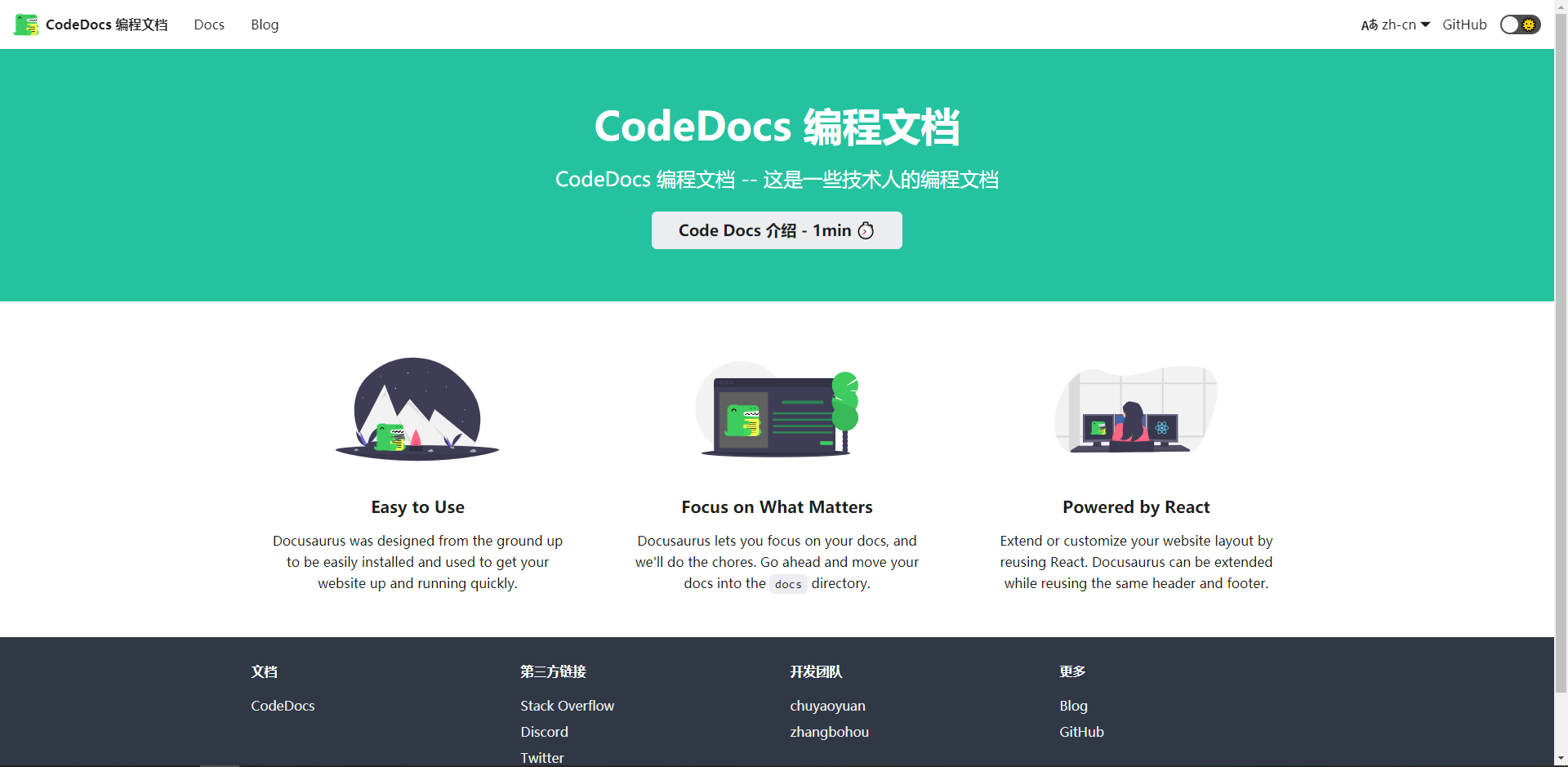](https://z3.ax1x.com/2021/04/27/gpXhWR.png)
|
|
||||||
|
|
||||||
|
CodeDocs 是一个基于 [Docusaurus 3](https://docusaurus.io/) 构建的中文技术文档站,采用 React 18 + TypeScript 技术栈。
|
||||||
|
|
||||||
# 简介
|
**官网**:[docs.yaoyuan.io](http://docs.yaoyuan.io/)
|
||||||
基于React,使用Docusaurus构建,官网:[[docs.yaoyuan.io]](http://docs.yaoyuan.io/)
|
|
||||||
|
|
||||||
# 在线体验
|
## 功能特性
|
||||||
|
|
||||||
- [[首页地址]](http://docs.yaoyuan.io/)
|
- 📚 **系统化文档** — 后端(Spring Boot / Spring Cloud)、前端(React / Vue)、算法(LeetCode)分门别类
|
||||||
|
- ⚡ **全文检索** — 集成 [Algolia DocSearch](https://docsearch.algolia.com/),毫秒级搜索
|
||||||
|
- 🔢 **数学公式** — 通过 KaTeX 渲染 LaTeX 数学公式(`remark-math` + `rehype-katex`)
|
||||||
|
- 🌐 **国际化** — 支持中文 / English 双语切换(`i18n`)
|
||||||
|
- 🌙 **深色模式** — 内置亮色 / 深色主题自动切换
|
||||||
|
- 🚀 **CI/CD** — GitHub Actions 自动构建 + FTP 部署
|
||||||
|
|
||||||
# 部署
|
## 技术栈
|
||||||
## [一]、开发环境配置
|
|
||||||
|
| 类别 | 技术 |
|
||||||
|
|------|------|
|
||||||
|
| 框架 | [Docusaurus 3.7](https://docusaurus.io/) |
|
||||||
|
| 前端 | React 18, TypeScript 5, MDX 3 |
|
||||||
|
| 样式 | CSS Modules, Infima |
|
||||||
|
| 数学渲染 | KaTeX (remark-math 6 + rehype-katex 7) |
|
||||||
|
| 搜索 | Algolia DocSearch |
|
||||||
|
| 构建 | Node.js 20, npm |
|
||||||
|
| CI/CD | GitHub Actions → FTP Deploy |
|
||||||
|
| 代码规范 | TypeScript 严格模式, ESLint (可扩展) |
|
||||||
|
|
||||||
|
## 目录结构
|
||||||
|
|
||||||
```
|
```
|
||||||
// 需Node 12以上,Git。
|
code-docs/
|
||||||
|
├── docs/ # 文档内容
|
||||||
|
│ ├── intro-docs.mdx # 文档首页介绍
|
||||||
|
│ ├── backend-doc/ # 后端文档
|
||||||
|
│ │ ├── SpringBoot/ # Spring Boot 系列
|
||||||
|
│ │ └── SpringCloud/ # Spring Cloud 系列
|
||||||
|
│ ├── frontend-doc/ # 前端文档
|
||||||
|
│ │ ├── React/ # React 系列
|
||||||
|
│ │ └── Vue/ # Vue 系列
|
||||||
|
│ └── LeetCode/ # 算法题解
|
||||||
|
│ ├── 1 - 100/ # 第 1 ~ 100 题
|
||||||
|
│ ├── 100 - 200/ # 第 100 ~ 200 题
|
||||||
|
│ └── CodingInterviews/ # 剑指 Offer 系列
|
||||||
|
├── blog/ # 博客文章
|
||||||
|
├── src/
|
||||||
|
│ ├── components/ # React 组件 (TSX)
|
||||||
|
│ ├── css/ # 全局样式
|
||||||
|
│ └── pages/ # 自定义页面 (TSX)
|
||||||
|
├── static/ # 静态资源 (图片等)
|
||||||
|
├── docusaurus.config.ts # Docusaurus 配置 (TypeScript)
|
||||||
|
├── sidebars.ts # 侧边栏配置
|
||||||
|
├── tsconfig.json # TypeScript 配置
|
||||||
|
├── babel.config.js # Babel 配置
|
||||||
|
├── package.json # 依赖管理
|
||||||
|
└── .github/workflows/deploy.yml # CI/CD 工作流
|
||||||
```
|
```
|
||||||
|
|
||||||
## [二]、下载代码
|
## 快速开始
|
||||||
|
|
||||||
```
|
### 环境要求
|
||||||
// Github - https://gitee.com/chuyaoyuan/code-docs.git
|
|
||||||
|
- **Node.js** >= 20 (推荐 LTS 版本)
|
||||||
|
- **npm** >= 10
|
||||||
|
- **Git**
|
||||||
|
|
||||||
|
### 安装 & 启动
|
||||||
|
|
||||||
|
```bash
|
||||||
|
# 1. 克隆仓库
|
||||||
|
git clone https://github.com/chuyaoyuan/code-docs.git
|
||||||
|
cd code-docs
|
||||||
|
|
||||||
|
# 2. 安装依赖
|
||||||
|
npm install
|
||||||
|
|
||||||
|
# 3. 本地开发 (热更新)
|
||||||
|
npm run start
|
||||||
|
|
||||||
|
# 4. 访问
|
||||||
|
# http://localhost:3000
|
||||||
```
|
```
|
||||||
|
|
||||||
|
### 常用命令
|
||||||
|
|
||||||
## [三]、运行启动
|
| 命令 | 说明 |
|
||||||
|
|------|------|
|
||||||
|
| `npm run start` | 启动本地开发服务器(热更新) |
|
||||||
|
| `npm run build` | 生产环境构建 |
|
||||||
|
| `npm run serve` | 预览生产构建产物 |
|
||||||
|
| `npm run typecheck` | TypeScript 类型检查 |
|
||||||
|
| `npm run write-translations` | 生成 i18n 翻译模板 |
|
||||||
|
| `npm run clear` | 清除 Docusaurus 缓存 |
|
||||||
|
|
||||||
```
|
## 环境变量
|
||||||
// 1、代码导入IDE
|
|
||||||
npm install or cnpm install
|
|
||||||
|
|
||||||
// 2、启动服务
|
本项目使用 Algolia DocSearch 进行全文检索,需要配置以下环境变量:
|
||||||
npm run serve
|
|
||||||
|
|
||||||
// 4、访问地址
|
```bash
|
||||||
http://localhost:3000
|
# 创建 .env.local 文件 (已在 .gitignore 中排除)
|
||||||
|
ALGOLIA_APP_ID=your_app_id
|
||||||
|
ALGOLIA_API_KEY=your_search_only_api_key
|
||||||
```
|
```
|
||||||
|
|
||||||
|
> 本地开发时通过 `dotenv` 自动加载 `.env.local`。CI 环境中通过 GitHub Secrets 注入。
|
||||||
|
|
||||||
## [四]、开源协议
|
## 部署
|
||||||
|
|
||||||
[MIT](https://opensource.org/licenses/MIT)
|
### GitHub Actions 自动部署
|
||||||
|
|
||||||
|
项目配置了 GitHub Actions 工作流(`.github/workflows/deploy.yml`):
|
||||||
|
|
||||||
|
- **PR → `main`**:仅执行构建校验,不部署
|
||||||
|
- **Push → `main`**:构建 + FTP 部署到生产服务器
|
||||||
|
|
||||||
|
需要在 GitHub 仓库 **Settings → Secrets** 中配置:
|
||||||
|
|
||||||
|
| Secret | 说明 |
|
||||||
|
|--------|------|
|
||||||
|
| `ALGOLIA_APP_ID` | Algolia Application ID |
|
||||||
|
| `ALGOLIA_API_KEY` | Algolia Search-Only API Key |
|
||||||
|
| `FTP_SERVER` | FTP 服务器地址 |
|
||||||
|
| `FTP_USER` | FTP 用户名 |
|
||||||
|
| `FTP_PWD` | FTP 密码 |
|
||||||
|
|
||||||
|
### 手动部署
|
||||||
|
|
||||||
|
```bash
|
||||||
|
npm run build
|
||||||
|
# 产物输出到 ./build/ 目录,部署到任意静态服务器即可
|
||||||
|
```
|
||||||
|
|
||||||
|
## 撰写文档
|
||||||
|
|
||||||
|
### 新增文档页
|
||||||
|
|
||||||
|
在 `docs/` 对应目录下创建 `.md` 或 `.mdx` 文件:
|
||||||
|
|
||||||
|
```md
|
||||||
|
---
|
||||||
|
sidebar_position: 1
|
||||||
|
---
|
||||||
|
|
||||||
|
# 文档标题
|
||||||
|
|
||||||
|
这里是文档内容。
|
||||||
|
```
|
||||||
|
|
||||||
|
- 纯 Markdown 内容使用 `.md` 扩展名
|
||||||
|
- 包含 JSX 组件(如 `<Tabs>`、`<span style={{}}>` 等)的文件须使用 `.mdx` 扩展名
|
||||||
|
|
||||||
|
### 数学公式
|
||||||
|
|
||||||
|
支持 LaTeX 语法,通过 KaTeX 渲染:
|
||||||
|
|
||||||
|
```md
|
||||||
|
行内公式:$E = mc^2$
|
||||||
|
|
||||||
|
独立公式块:
|
||||||
|
$$
|
||||||
|
\int_0^\infty f(x)\,dx
|
||||||
|
$$
|
||||||
|
```
|
||||||
|
|
||||||
|
### 新增博客
|
||||||
|
|
||||||
|
在 `blog/` 目录下创建 Markdown 文件:
|
||||||
|
|
||||||
|
```md
|
||||||
|
---
|
||||||
|
slug: my-post
|
||||||
|
title: 文章标题
|
||||||
|
author: 作者名
|
||||||
|
tags: [标签1, 标签2]
|
||||||
|
---
|
||||||
|
|
||||||
|
摘要内容。
|
||||||
|
<!--truncate-->
|
||||||
|
正文内容。
|
||||||
|
```
|
||||||
|
|
||||||
|
## 开源协议
|
||||||
|
|
||||||
|
[MIT](https://opensource.org/licenses/MIT) © Yaoyuan Chu
|
||||||
|
|||||||
@@ -0,0 +1,310 @@
|
|||||||
|
# CodeDocs 升级总结与实施指南
|
||||||
|
|
||||||
|
## 📋 已完成的升级
|
||||||
|
|
||||||
|
### 1️⃣ 首页样式升级 ✅
|
||||||
|
|
||||||
|
#### 变更清单
|
||||||
|
- **HomepageFeatures.tsx**:
|
||||||
|
- 从 3 个简单文本卡片 → 交互式卡片组件
|
||||||
|
- 支持图标、颜色、渐变背景
|
||||||
|
- 完整的 hover 动效和动画
|
||||||
|
|
||||||
|
- **HomepageFeatures.module.css**:
|
||||||
|
- 新增蓝色悬停动效 (`hover:text-primary`)
|
||||||
|
- 新增图标背景色变化
|
||||||
|
- 新增箭头滑出动画
|
||||||
|
- 新增卡片缩放 + 投影效果
|
||||||
|
- 新增分层渐变背景
|
||||||
|
- 响应式网格布局(3列→1列)
|
||||||
|
|
||||||
|
- **index.tsx**:
|
||||||
|
- 新增 3 个主要导航按钮
|
||||||
|
- 优化首页文案
|
||||||
|
- 增强视觉层级
|
||||||
|
|
||||||
|
#### 设计理念(参考 dyte-io/docs)
|
||||||
|
```
|
||||||
|
卡片组成 = icon + title + description + hover-effect
|
||||||
|
├── Icon: 根据分类变色(蓝色/青色/粉色)
|
||||||
|
├── Title: hover 时变为主色 (#2160fd)
|
||||||
|
├── Border: hover 时从半透明→主色
|
||||||
|
└── Arrow: hover 时从隐藏→显示并滑入
|
||||||
|
```
|
||||||
|
|
||||||
|
---
|
||||||
|
|
||||||
|
### 2️⃣ 多级菜单配置 ✅
|
||||||
|
|
||||||
|
#### 变更清单
|
||||||
|
- **docusaurus.config.ts - navbar.items**:
|
||||||
|
|
||||||
|
```typescript
|
||||||
|
items: [
|
||||||
|
// 技术文档 - 3 级分类
|
||||||
|
{
|
||||||
|
type: 'dropdown',
|
||||||
|
label: '📚 技术文档',
|
||||||
|
items: [
|
||||||
|
'⚙️ 后端技术',
|
||||||
|
'⚛️ 前端开发',
|
||||||
|
'🧠 算法与面试'
|
||||||
|
]
|
||||||
|
},
|
||||||
|
|
||||||
|
// 工具与资源 - 预留扩展
|
||||||
|
{
|
||||||
|
type: 'dropdown',
|
||||||
|
label: '🛠️ 工具与资源',
|
||||||
|
items: [
|
||||||
|
'📖 最佳实践',
|
||||||
|
'🔗 常用链接',
|
||||||
|
'📚 推荐阅读'
|
||||||
|
]
|
||||||
|
},
|
||||||
|
|
||||||
|
// 其他链接
|
||||||
|
'📝 Blog',
|
||||||
|
'GitHub'
|
||||||
|
]
|
||||||
|
```
|
||||||
|
|
||||||
|
#### 菜单截图预期
|
||||||
|
```
|
||||||
|
顶部导航:
|
||||||
|
[📚 技术文档 ▼] [🛠️ 工具与资源 ▼] [📝 Blog] [GitHub]
|
||||||
|
|
||||||
|
下拉展开:
|
||||||
|
📚 技术文档 ▼
|
||||||
|
├─ ⚙️ 后端技术
|
||||||
|
├─ ⚛️ 前端开发
|
||||||
|
└─ 🧠 算法与面试
|
||||||
|
```
|
||||||
|
|
||||||
|
---
|
||||||
|
|
||||||
|
### 3️⃣ 样式系统升级 ✅
|
||||||
|
|
||||||
|
#### 变更清单
|
||||||
|
- **tailwind.config.js**: 新建
|
||||||
|
- 蓝色色系定义 (#2160fd)
|
||||||
|
- 青色色系支持
|
||||||
|
- 粉色色系支持
|
||||||
|
- 响应式断点优化
|
||||||
|
|
||||||
|
- **postcss.config.js**: 新建
|
||||||
|
- PostCSS 处理管道配置
|
||||||
|
|
||||||
|
- **custom.css**: 重写
|
||||||
|
- 原有 Infima 主色替换为蓝色 (#2160fd)
|
||||||
|
- 增加 Tailwind 导入(@import)
|
||||||
|
- 新增 CSS 变量系统(支持深色模式)
|
||||||
|
- 新增 hero 背景渐变
|
||||||
|
|
||||||
|
#### 颜色对照表
|
||||||
|
| 用途 | 颜色 | 十六进制 | RGB |
|
||||||
|
|------|------|---------|-----|
|
||||||
|
| 主色 (Primary) | 蓝色 | #2160fd | rgb(33 96 253) |
|
||||||
|
| 悬停强调 | 深蓝 | #1850d8 | - |
|
||||||
|
| 次色 (Secondary) | 青色 | #06b6d4 | - |
|
||||||
|
| 三色 (Tertiary) | 粉色 | #ec4899 | - |
|
||||||
|
|
||||||
|
---
|
||||||
|
|
||||||
|
### 4️⃣ 内容架构规划 ✅
|
||||||
|
|
||||||
|
#### 文档位置
|
||||||
|
- `ARCHITECTURE_PLAN.md` - 完整规划书
|
||||||
|
|
||||||
|
#### 结构概览
|
||||||
|
```
|
||||||
|
一级菜单 (4 类)
|
||||||
|
├─ 📚 技术文档
|
||||||
|
│ ├─ ⚙️ 后端技术 (Java/Spring/Database/MQ/分布式)
|
||||||
|
│ ├─ ⚛️ 前端开发 (React/Vue/工程化/跨端)
|
||||||
|
│ └─ 🧠 算法与面试 (数据结构/算法/系统设计)
|
||||||
|
├─ 🛠️ 工具与资源 (best practices/links/reading)
|
||||||
|
├─ 📝 Blog (分享与资讯)
|
||||||
|
└─ GitHub (开源)
|
||||||
|
```
|
||||||
|
|
||||||
|
#### 内容分级(学习路径)
|
||||||
|
1. **快速入门** (⏱️ 5-10 分钟) - 适合初学
|
||||||
|
2. **深度学习** (⏱️ 30 分钟-1 小时) - 详解原理
|
||||||
|
3. **性能优化** (⏱️ 1-2 小时) - 高级技巧
|
||||||
|
4. **面试突破** (⏱️ 灵活) - 频考题
|
||||||
|
|
||||||
|
---
|
||||||
|
|
||||||
|
## 🚀 下一步操作
|
||||||
|
|
||||||
|
### 步骤 1: 本地验证 (NOW)
|
||||||
|
```bash
|
||||||
|
cd /opt/cyy/code-docs
|
||||||
|
|
||||||
|
# 若未完成 npm install,先安装依赖
|
||||||
|
npm install
|
||||||
|
|
||||||
|
# 启动开发服务器
|
||||||
|
npm start
|
||||||
|
|
||||||
|
# 验证内容:
|
||||||
|
# ✅ 首页 3 个卡片是否显示
|
||||||
|
# ✅ 卡片 hover 是否有蓝色效果
|
||||||
|
# ✅ 菜单是否显示下拉箭头
|
||||||
|
# ✅ 深色模式是否正常
|
||||||
|
```
|
||||||
|
|
||||||
|
### 步骤 2: 迁移现有内容 (Week 1)
|
||||||
|
```
|
||||||
|
当前文件:
|
||||||
|
docs/
|
||||||
|
├─ intro-docs.mdx ✅ 保留
|
||||||
|
├─ backend-doc/ ✅ 已有结构
|
||||||
|
├─ frontend-doc/ ✅ 已有结构
|
||||||
|
├─ LeetCode/ ✅ 已有结构
|
||||||
|
└─ ...
|
||||||
|
|
||||||
|
需要处理:
|
||||||
|
1. 更新 sidebars.ts 以支持新菜单
|
||||||
|
2. 验证所有链接有效性
|
||||||
|
3. 补充缺失的 intro-docs.md 文件
|
||||||
|
```
|
||||||
|
|
||||||
|
### 步骤 3: 菜单链接修复 (Week 1)
|
||||||
|
在 navbar 中验证以下路由存在:
|
||||||
|
- `/docs/backend-doc/intro-docs`
|
||||||
|
- `/docs/frontend-doc/intro-docs`
|
||||||
|
- `/docs/LeetCode/intro-docs`
|
||||||
|
|
||||||
|
### 步骤 4: 内容扩充计划 (Phase 2)
|
||||||
|
根据 ARCHITECTURE_PLAN.md 逐步添加:
|
||||||
|
|
||||||
|
**高优先级**:
|
||||||
|
- [ ] Spring Framework 核心(5-8 篇)
|
||||||
|
- [ ] React Hooks 深入(3-5 篇)
|
||||||
|
- [ ] LeetCode 精选题库(10-15 题)
|
||||||
|
|
||||||
|
**中优先级**:
|
||||||
|
- [ ] JVM 调优系列
|
||||||
|
- [ ] Vue 3 完整指南
|
||||||
|
- [ ] 系统设计案例
|
||||||
|
|
||||||
|
**低优先级**:
|
||||||
|
- [ ] 最佳实践合集
|
||||||
|
- [ ] 工具对比
|
||||||
|
- [ ] 推荐书籍
|
||||||
|
|
||||||
|
---
|
||||||
|
|
||||||
|
## 🎨 设计效果预览
|
||||||
|
|
||||||
|
### 首页卡片效果
|
||||||
|
```
|
||||||
|
┌─────────────────────────────────┐
|
||||||
|
│ [⚙️] 后端技术 │ → hover: border-blue, text-blue, arrow-in
|
||||||
|
│ │
|
||||||
|
│ 深度讲解 Spring Boot / Spring │
|
||||||
|
│ Cloud 核心概念、最佳实践... │
|
||||||
|
│ │
|
||||||
|
│ → │ (animated)
|
||||||
|
└─────────────────────────────────┘
|
||||||
|
|
||||||
|
动效细节:
|
||||||
|
- 渐变背景从灰→蓝色渐变
|
||||||
|
- 图标放大 10%,背景变蓝
|
||||||
|
- 标题变成蓝色 (#2160fd)
|
||||||
|
- 箭头从右侧滑入
|
||||||
|
- 整体卡片上移 4px
|
||||||
|
- 投影增强,显示深度感
|
||||||
|
```
|
||||||
|
|
||||||
|
### 顶部菜单效果
|
||||||
|
```
|
||||||
|
┌─ CodeDocs ─────┐ [📚 技术文档 ▼] [🛠️ 工具 ▼] [📝 Blog] [GitHub]
|
||||||
|
↓
|
||||||
|
┌─────────────┐
|
||||||
|
│ ⚙️ 后端 │
|
||||||
|
│ ⚛️ 前端 │
|
||||||
|
│ 🧠 算法 │
|
||||||
|
└─────────────┘
|
||||||
|
```
|
||||||
|
|
||||||
|
---
|
||||||
|
|
||||||
|
## 📊 检查清单
|
||||||
|
|
||||||
|
- [ ] npm install 完成
|
||||||
|
- [ ] npm start 本地验证通过
|
||||||
|
- [ ] 首页卡片显示正常
|
||||||
|
- [ ] 卡片 hover 效果生效
|
||||||
|
- [ ] 菜单下拉正常
|
||||||
|
- [ ] 所有链接有效
|
||||||
|
- [ ] 深色模式测试
|
||||||
|
- [ ] 响应式(手机端)测试
|
||||||
|
|
||||||
|
---
|
||||||
|
|
||||||
|
## 📁 文件变更总结
|
||||||
|
|
||||||
|
| 文件 | 操作 | 说明 |
|
||||||
|
|-----|------|------|
|
||||||
|
| `src/components/HomepageFeatures.tsx` | ✏️ 修改 | 新组件结构 + 3 色卡片 |
|
||||||
|
| `src/components/HomepageFeatures.module.css` | ✏️ 重写 | 完整的悬停动效 |
|
||||||
|
| `src/pages/index.tsx` | ✏️ 修改 | 新的 CTA 按钮 |
|
||||||
|
| `src/css/custom.css` | ✏️ 重写 | 主色改蓝 + Tailwind 导入 |
|
||||||
|
| `docusaurus.config.ts` | ✏️ 修改 | 多级菜单配置 |
|
||||||
|
| `tailwind.config.js` | ✨ 新建 | Tailwind 配置 |
|
||||||
|
| `postcss.config.js` | ✨ 新建 | PostCSS 管道 |
|
||||||
|
| `package.json` | ✏️ 修改 | 已升级依赖版本 |
|
||||||
|
| `ARCHITECTURE_PLAN.md` | ✨ 新建 | 内容架构规划 |
|
||||||
|
|
||||||
|
---
|
||||||
|
|
||||||
|
## 🆘 常见问题
|
||||||
|
|
||||||
|
### Q1: npm install 很慢?
|
||||||
|
**A**: 使用 pnpm 或 npm 阿里镜像加速
|
||||||
|
```bash
|
||||||
|
npm install -g pnpm
|
||||||
|
pnpm install
|
||||||
|
```
|
||||||
|
|
||||||
|
### Q2: Tailwind 样式未生效?
|
||||||
|
**A**: 需要先完成 `npm install`,再运行 `npm start`
|
||||||
|
|
||||||
|
### Q3: 首页链接 404?
|
||||||
|
**A**: 检查 `/docs` 下是否存在对应的文件夹:
|
||||||
|
```bash
|
||||||
|
ls -la docs/
|
||||||
|
# 应该看到:backend-doc/ frontend-doc/ LeetCode/
|
||||||
|
```
|
||||||
|
|
||||||
|
### Q4: 深色模式图标不清晰?
|
||||||
|
**A**: 在 custom.css 中针对 `[data-theme='dark']` 添加 color 覆盖
|
||||||
|
|
||||||
|
---
|
||||||
|
|
||||||
|
## 📞 后续支持
|
||||||
|
|
||||||
|
需要进一步升级:
|
||||||
|
1. **搜索优化** - 集成 Algolia 优化查询
|
||||||
|
2. **版本管理** - 为 SDK 文档添加版本切换(参考 dyte-io/docs)
|
||||||
|
3. **API 文档** - 集成 OpenAPI / Swagger
|
||||||
|
4. **交互示例** - 嵌入 CodeSandbox / RunKit
|
||||||
|
5. **反馈系统** - 页面评分与问题报告
|
||||||
|
|
||||||
|
---
|
||||||
|
|
||||||
|
## 参考资源
|
||||||
|
|
||||||
|
- 📖 [Docusaurus 官方文档](https://docusaurus.io/)
|
||||||
|
- 🎨 [Tailwind CSS](https://tailwindcss.com/)
|
||||||
|
- 🔗 [dyte-io/docs 源代码](https://github.com/dyte-io/docs)
|
||||||
|
- 📚 [MDN 文档结构参考](https://developer.mozilla.org/)
|
||||||
|
|
||||||
|
---
|
||||||
|
|
||||||
|
**最后更新**: 2026-05-06
|
||||||
|
**更新者**: CodeDocs 升级系统
|
||||||
|
**版本**: v2.0
|
||||||
@@ -1,18 +0,0 @@
|
|||||||
---
|
|
||||||
slug: hello-world
|
|
||||||
title: Hello Welcome
|
|
||||||
author: Endilie Yacop Sucipto
|
|
||||||
author_title: Maintainer of Docusaurus
|
|
||||||
author_url: https://github.com/endiliey
|
|
||||||
author_image_url: https://s3.ax1x.com/2021/02/26/6SEr4g.jpg
|
|
||||||
tags: [hello, chuyaoyuan]
|
|
||||||
---
|
|
||||||
|
|
||||||
Welcome to this blog. This blog is created .
|
|
||||||
欢迎来到这个博客。此博客已创建
|
|
||||||
|
|
||||||
<!--truncate-->
|
|
||||||
|
|
||||||
This is a test post.
|
|
||||||
|
|
||||||
A whole bunch of other information.
|
|
||||||
@@ -1,11 +0,0 @@
|
|||||||
---
|
|
||||||
slug: join in
|
|
||||||
title: 加入到这里
|
|
||||||
author: yaoyuan chu
|
|
||||||
author_title: chuyaoyuan
|
|
||||||
author_url: https://github.com/chuyaoyuan
|
|
||||||
author_image_url: https://s3.ax1x.com/2021/02/26/6SEr4g.jpg
|
|
||||||
tags: [hola, code-docs]
|
|
||||||
---
|
|
||||||
|
|
||||||
这里是个公开的技术文档聚集之地,可以随时随地的发表新文档,GitHub:[**code-docs**](https://github.com/chuyaoyuan/code-docs).
|
|
||||||
@@ -4,12 +4,11 @@ title: 使用VS Code写一篇文档
|
|||||||
author: chuyaoyuan
|
author: chuyaoyuan
|
||||||
author_title: cyy
|
author_title: cyy
|
||||||
author_url: https://github.com/chuyaoyuan
|
author_url: https://github.com/chuyaoyuan
|
||||||
author_image_url: https://s3.ax1x.com/2021/02/26/6SEr4g.jpg
|
|
||||||
tags: [hello, chuyaoyuan]
|
tags: [hello, chuyaoyuan]
|
||||||
---
|
---
|
||||||
|
|
||||||
Welcome to this site.
|
Welcome to this site.
|
||||||
这是一篇关于如何创建文档的博客。[开始阅读](http://docs.yaoyuan.io/blog/use-code-docs)
|
这是一篇关于如何创建文档的博客。[开始阅读](/blog/use-code-docs)
|
||||||
<!--truncate-->
|
<!--truncate-->
|
||||||
### 使用
|
### 使用
|
||||||
|
|
||||||
@@ -27,5 +26,6 @@ npm run serve
|
|||||||
### VS Code编辑
|
### VS Code编辑
|
||||||
|
|
||||||
1. `file-open` 打开编辑器,开始编写之旅.
|
1. `file-open` 打开编辑器,开始编写之旅.
|
||||||
[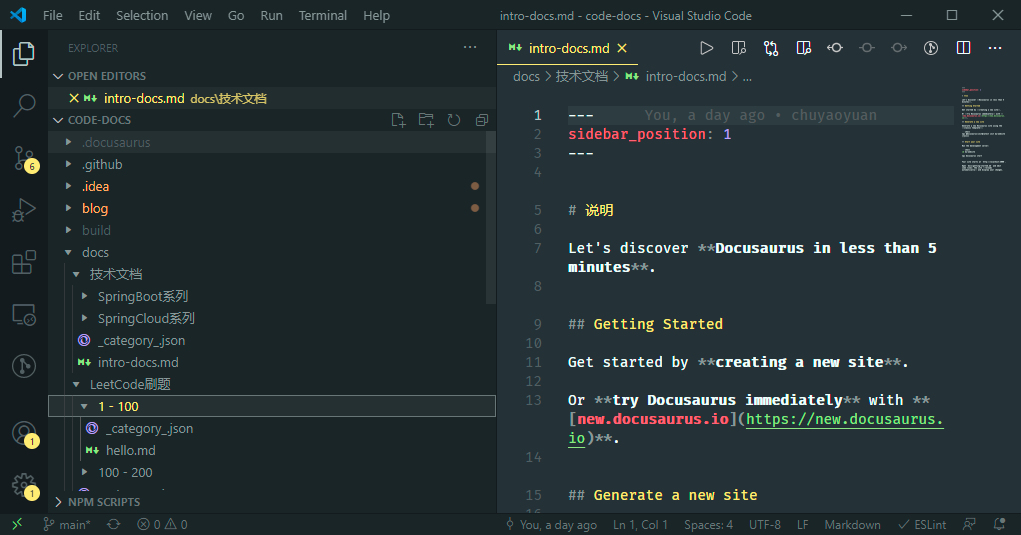](http://docs.yaoyuan.io)
|
|
||||||
|
> 截图已移除(原图床 CDN 已失效)
|
||||||
1. `done` 结束.
|
1. `done` 结束.
|
||||||
|
|||||||
Vendored
BIN
Binary file not shown.
Vendored
BIN
Binary file not shown.
@@ -1,4 +1,4 @@
|
|||||||
{
|
{
|
||||||
"label": "1 - 100",
|
"label": "1 - 100",
|
||||||
"position": 2
|
"position": 3
|
||||||
}
|
}
|
||||||
|
|||||||
@@ -1,4 +1,4 @@
|
|||||||
{
|
{
|
||||||
"label": "100 - 200",
|
"label": "100 - 200",
|
||||||
"position": 3
|
"position": 4
|
||||||
}
|
}
|
||||||
|
|||||||
BIN
Binary file not shown.
Vendored
Executable → Regular
+5
-5
@@ -1,4 +1,4 @@
|
|||||||
# 队列\_剑指Offer59题\_队列的最大值问题
|
# 队列的最大值问题
|
||||||
|
|
||||||
## 题目描述如下:
|
## 题目描述如下:
|
||||||
|
|
||||||
@@ -64,7 +64,7 @@ class MaxQueue {
|
|||||||
|
|
||||||
本着先实现,后优化的原则,最容易想到的解决方案是这样的:
|
本着先实现,后优化的原则,最容易想到的解决方案是这样的:
|
||||||
|
|
||||||
<span style="color:blue">用一个队列保存所有的数据,这样保证了push和pop操作是正常执行的。然后将这个队列从大到小排列到另一个数据结构中,这样执行max_value方法时输出数组第一项即可。删除队列中数据的时候,用来排序的数据结构中的对应数据也应该删掉。</span>
|
<span style={{color:'blue'}}>用一个队列保存所有的数据,这样保证了push和pop操作是正常执行的。然后将这个队列从大到小排列到另一个数据结构中,这样执行max_value方法时输出数组第一项即可。删除队列中数据的时候,用来排序的数据结构中的对应数据也应该删掉。</span>
|
||||||
|
|
||||||
于是乎很容易写出这样的代码:
|
于是乎很容易写出这样的代码:
|
||||||
|
|
||||||
@@ -112,7 +112,7 @@ class MaxQueue {
|
|||||||
}
|
}
|
||||||
~~~
|
~~~
|
||||||
|
|
||||||
接下来考虑着三个TODO项如何去解决。首先要确定的是<span style="color:red">用什么数据结构保存sortedDatas</span>。
|
接下来考虑着三个TODO项如何去解决。首先要确定的是<span style={{color:'red'}}>用什么数据结构保存sortedDatas</span>。
|
||||||
|
|
||||||
| 数据结构 | 优劣分析 | 结论 |
|
| 数据结构 | 优劣分析 | 结论 |
|
||||||
| -------- | ------------------------------------------------------------ | ---------- |
|
| -------- | ------------------------------------------------------------ | ---------- |
|
||||||
@@ -122,13 +122,13 @@ class MaxQueue {
|
|||||||
| 队列 | 单调递减的队列。遇到的问题和栈一致。 | |
|
| 队列 | 单调递减的队列。遇到的问题和栈一致。 | |
|
||||||
| 树 | 最大二叉树能实现,但是树在内存中也是以数组的形式保存的,问题和数组一致。 | :no_entry: |
|
| 树 | 最大二叉树能实现,但是树在内存中也是以数组的形式保存的,问题和数组一致。 | :no_entry: |
|
||||||
|
|
||||||
所以说,要么用栈,要么用数组来保存sortedDatas中的数据。所以决定采用双端队列来处理sortedDatas,因为**双端队列能同时满足栈、队列的所有操作**。下一个问题便是……<span style="color:red">如何给这个双端队列进行排序</span>。
|
所以说,要么用栈,要么用数组来保存sortedDatas中的数据。所以决定采用双端队列来处理sortedDatas,因为**双端队列能同时满足栈、队列的所有操作**。下一个问题便是……<span style={{color:'red'}}>如何给这个双端队列进行排序</span>。
|
||||||
|
|
||||||
堆排序、快速排序的时间复杂度是O(n lg n);其他的线性排序算法时间复杂度是O(n)。这些都不太满足题目的要求。所以这里我想到了一种可能性:**有些数是不是没有参与排序**?如果队列中有n个数字,参与排序的数字小于n,那么排序的时间复杂度会更小的。那么,**什么样的数字可能不用参与排序呢**?max\_value方法要输出的是最大的数,所以最大的数字是一定参与排序的,即比较小的数字可以不用参与排序——我只管最大的数,其他的数字顺序对与否甚至数据的有无,都不会影响到最后的结果。
|
堆排序、快速排序的时间复杂度是O(n lg n);其他的线性排序算法时间复杂度是O(n)。这些都不太满足题目的要求。所以这里我想到了一种可能性:**有些数是不是没有参与排序**?如果队列中有n个数字,参与排序的数字小于n,那么排序的时间复杂度会更小的。那么,**什么样的数字可能不用参与排序呢**?max\_value方法要输出的是最大的数,所以最大的数字是一定参与排序的,即比较小的数字可以不用参与排序——我只管最大的数,其他的数字顺序对与否甚至数据的有无,都不会影响到最后的结果。
|
||||||
|
|
||||||
所以进一步的解决方案是这样的:
|
所以进一步的解决方案是这样的:
|
||||||
|
|
||||||
<span style="color:red">每次有新的数据插入的时候,将sortedDatas中的数据从后往前跟入参比较,如果小于入参,就直接舍弃掉,直到遇到比入参大的数字时再将入参存入队列中。</span>
|
<span style={{color:'red'}}>每次有新的数据插入的时候,将sortedDatas中的数据从后往前跟入参比较,如果小于入参,就直接舍弃掉,直到遇到比入参大的数字时再将入参存入队列中。</span>
|
||||||
|
|
||||||
这样的好处显而易见:小于入参的数字不会影响到最大值的输出。另一方面,队列中的数据来得比现在这个入参早,所以小于入参的数字会比这个入参更早的被删除掉。即,小于入参的数字永远不可能作为最大值背输出出来。
|
这样的好处显而易见:小于入参的数字不会影响到最大值的输出。另一方面,队列中的数据来得比现在这个入参早,所以小于入参的数字会比这个入参更早的被删除掉。即,小于入参的数字永远不可能作为最大值背输出出来。
|
||||||
|
|
||||||
BIN

Binary file not shown.
|
After Width: | Height: | Size: 117 KiB |
@@ -0,0 +1,124 @@
|
|||||||
|
# 二叉树的遍历
|
||||||
|
|
||||||
|
二叉树本质上可以理解为链表的一种扩展。对于单向链表而言,每个节点都有一个指针指向下一个节点。如果将这个指针增加为两个,即每个节点都有两个指针指向两个字节点,这个链表就变成了一颗二叉树。为了方便起见,我们可以将这两个指针分别命名为left和right,以表示左子节点和右子节点。
|
||||||
|
|
||||||
|
我们可以通过一个简单的递归算法来输出二叉树中的所有元素。常见的遍历方法包括**中序遍历(LDR)**、**先序遍历(DLR)**和**后序遍历(LRD)**。
|
||||||
|
|
||||||
|
> 先序遍历指的是输出的子树根的关键字位于其左子树的关键字和右子树的关键字值之间。类似地,先序遍历中输出的根的关键字在其左右子树的关键字之前;后序遍历输出的根的关进子在其左右子树的关键字值之后。[^ 1 ]
|
||||||
|
|
||||||
|

|
||||||
|
|
||||||
|
以上述二叉树为例,不同的遍历方式得到的序列分别是:
|
||||||
|
|
||||||
|
**前序遍历:**15 -> 9 -> 3 -> 1 -> 8 -> 12 -> 23 -> 17 -> 28
|
||||||
|
|
||||||
|
**中序遍历:**1 -> 3 -> 8 -> 9 -> 12 -> 15 -> 17 -> 23 -> 28
|
||||||
|
|
||||||
|
**后序遍历:**1 -> 8 -> 3 -> 12 -> 9 -> 17 -> 18 -> 23 -> 15
|
||||||
|
|
||||||
|
## 中序遍历实现
|
||||||
|
|
||||||
|
~~~java
|
||||||
|
class Solution {
|
||||||
|
|
||||||
|
private List<Integer> result = new ArrayList<>();
|
||||||
|
|
||||||
|
public List<Integer> inorderTraversal(TreeNode root) {
|
||||||
|
if (root == null) {
|
||||||
|
return new ArrayList<>();
|
||||||
|
}
|
||||||
|
if (root.left != null) {
|
||||||
|
inorderTraversal(root.left);
|
||||||
|
}
|
||||||
|
result.add(root.val);
|
||||||
|
if (root.right != null) {
|
||||||
|
inorderTraversal(root.right);
|
||||||
|
}
|
||||||
|
return result;
|
||||||
|
}
|
||||||
|
}
|
||||||
|
~~~
|
||||||
|
|
||||||
|
## 前序遍历实现
|
||||||
|
|
||||||
|
~~~java
|
||||||
|
class Solution {
|
||||||
|
|
||||||
|
private List<Integer> result = new LinkedList<>();
|
||||||
|
|
||||||
|
public List<Integer> preorderTraversal(TreeNode root) {
|
||||||
|
if (root == null) {
|
||||||
|
return new LinkedList<>();
|
||||||
|
}
|
||||||
|
result.add(root.val);
|
||||||
|
if (root.left != null) {
|
||||||
|
preorderTraversal(root.left);
|
||||||
|
}
|
||||||
|
if (root.right != null) {
|
||||||
|
preorderTraversal(root.right);
|
||||||
|
}
|
||||||
|
return result;
|
||||||
|
}
|
||||||
|
}
|
||||||
|
~~~
|
||||||
|
|
||||||
|
## 后续遍历实现
|
||||||
|
|
||||||
|
~~~java
|
||||||
|
class Solution {
|
||||||
|
|
||||||
|
private List<Integer> result = new LinkedList<>();
|
||||||
|
|
||||||
|
public List<Integer> postorderTraversal(TreeNode root) {
|
||||||
|
|
||||||
|
if (root == null) {
|
||||||
|
return new LinkedList<>();
|
||||||
|
}
|
||||||
|
if (root.left != null) {
|
||||||
|
postorderTraversal(root.left);
|
||||||
|
}
|
||||||
|
if (root.right != null) {
|
||||||
|
postorderTraversal(root.right);
|
||||||
|
}
|
||||||
|
result.add(root.val);
|
||||||
|
return result;
|
||||||
|
|
||||||
|
}
|
||||||
|
}
|
||||||
|
~~~
|
||||||
|
|
||||||
|
## 三种遍历方式的时间复杂度分析
|
||||||
|
|
||||||
|
对于一颗空树而言,三种遍历方式执行的都是:
|
||||||
|
|
||||||
|
~~~java
|
||||||
|
if (root == null) {
|
||||||
|
return new LinkedList<>();
|
||||||
|
}
|
||||||
|
~~~
|
||||||
|
|
||||||
|
可以视为常数时间,即:$T(0) = c$。
|
||||||
|
|
||||||
|
对于n>0的情况,假设当前节点的左边有k个节点,那么可以算出来该节点的右边有n-k-1个节点,因此运行时间符合下列算式:$T(n) \leqslant T(k) + T(n-k-1) + d$,其中常数d大于0。
|
||||||
|
$$
|
||||||
|
\begin{array}{l}
|
||||||
|
T(n) \leqslant T(k) + T(n-k-1) + d \\
|
||||||
|
= ((c + d)k + c) + ((c + d)(n - k - 1) + c) + d\\
|
||||||
|
= (c + d)n + c - (c + d) + c + d\\
|
||||||
|
= (c + d)n + c
|
||||||
|
\end{array}
|
||||||
|
$$
|
||||||
|
即$T(n) = O(n)$
|
||||||
|
|
||||||
|
> ~~~pseudocode
|
||||||
|
> INORDER-TREE-WALK(x)
|
||||||
|
> if x != NIL
|
||||||
|
> INORDER-TREE-WALK(x.left)
|
||||||
|
> print x.key
|
||||||
|
> INORDER-TREE-WALK(x.right)
|
||||||
|
> ~~~
|
||||||
|
>
|
||||||
|
> 定理:如果x是一棵有n个结点子树的根,那么调用INORDER-TREE-WALK(x)需要Θ(n)时间。[^ 2 ]
|
||||||
|
|
||||||
|
[^ 1 ]:Paul W. Purdom, Jr. and Cynthia A. Brown. *The Analysis of Algorithms*. Holt, Rinehart, and Winston, 1985.
|
||||||
|
[^ 2 ]: Michael O. Rabin. Probabilistic algorithms. In J. F. Traub, editor, Algorithms and Complexity: *New Directions and Recent Results*, pages 21-39. Academic Press, 1976.
|
||||||
@@ -0,0 +1,4 @@
|
|||||||
|
{
|
||||||
|
"label": "剑指Offer",
|
||||||
|
"position": 2
|
||||||
|
}
|
||||||
@@ -1,4 +1,4 @@
|
|||||||
{
|
{
|
||||||
"label": "LeetCode刷题",
|
"label": "LeetCode刷题",
|
||||||
"position": 3
|
"position": 2
|
||||||
}
|
}
|
||||||
|
|||||||
@@ -1,4 +0,0 @@
|
|||||||
{
|
|
||||||
"label": "LeetCode刷题",
|
|
||||||
"position": 4
|
|
||||||
}
|
|
||||||
@@ -1,4 +1,4 @@
|
|||||||
{
|
{
|
||||||
"label": "技术文档(后端)",
|
"label": "技术文档(后端)",
|
||||||
"position": 2
|
"position": 3
|
||||||
}
|
}
|
||||||
@@ -1,4 +1,4 @@
|
|||||||
{
|
{
|
||||||
"label": "技术文档(前端)",
|
"label": "技术文档(前端)",
|
||||||
"position": 3
|
"position": 4
|
||||||
}
|
}
|
||||||
@@ -1,35 +0,0 @@
|
|||||||
---
|
|
||||||
sidebar_position: 1
|
|
||||||
---
|
|
||||||
|
|
||||||
# Code Docs 介绍
|
|
||||||
|
|
||||||
欢迎来到这里 , **Docusaurus in less than 1 minutes**.
|
|
||||||
|
|
||||||
## Getting Started
|
|
||||||
|
|
||||||
Get started by **creating a new site**.
|
|
||||||
|
|
||||||
Or **try Docusaurus immediately** with **[new.docusaurus.io](https://new.docusaurus.io)**.
|
|
||||||
|
|
||||||
## Generate a new site
|
|
||||||
|
|
||||||
Generate a new Docusaurus site using the **classic template**:
|
|
||||||
|
|
||||||
```shell
|
|
||||||
npx @docusaurus/init@latest init my-website classic
|
|
||||||
```
|
|
||||||
|
|
||||||
## Start your site
|
|
||||||
|
|
||||||
Run the development server:
|
|
||||||
|
|
||||||
```shell
|
|
||||||
cd my-website
|
|
||||||
|
|
||||||
npx docusaurus start
|
|
||||||
```
|
|
||||||
|
|
||||||
Your site starts at `http://localhost:3000`.
|
|
||||||
|
|
||||||
Open `docs/getting-started.md` and edit some lines: the site **reloads automatically** and display your changes.
|
|
||||||
@@ -0,0 +1,117 @@
|
|||||||
|
---
|
||||||
|
sidebar_position: 1
|
||||||
|
---
|
||||||
|
|
||||||
|
# Code Docs 介绍
|
||||||
|
|
||||||
|
欢迎来到这里 , **Docusaurus in less than 1 minutes**.
|
||||||
|
|
||||||
|
## 现在开始
|
||||||
|
|
||||||
|
Get started by **creating a new site**.
|
||||||
|
|
||||||
|
Or **try Docusaurus immediately** with **[new.docusaurus.io](https://new.docusaurus.io)**.
|
||||||
|
|
||||||
|
## 代码块
|
||||||
|
|
||||||
|
import Tabs from '@theme/Tabs';
|
||||||
|
import TabItem from '@theme/TabItem';
|
||||||
|
|
||||||
|
<Tabs
|
||||||
|
defaultValue="js"
|
||||||
|
values={[
|
||||||
|
{ label: 'JavaScript', value: 'js' },
|
||||||
|
{ label: 'Python', value: 'py' },
|
||||||
|
{ label: 'Java', value: 'java' },
|
||||||
|
]}>
|
||||||
|
<TabItem value="js">
|
||||||
|
|
||||||
|
```js
|
||||||
|
function helloWorld() {
|
||||||
|
console.log('Hello, world!');
|
||||||
|
}
|
||||||
|
```
|
||||||
|
|
||||||
|
</TabItem>
|
||||||
|
<TabItem value="py">
|
||||||
|
|
||||||
|
```py
|
||||||
|
def hello_world():
|
||||||
|
print 'Hello, world!'
|
||||||
|
```
|
||||||
|
|
||||||
|
</TabItem>
|
||||||
|
<TabItem value="java">
|
||||||
|
|
||||||
|
```java
|
||||||
|
class HelloWorld {
|
||||||
|
public static void main(String args[]) {
|
||||||
|
System.out.println("Hello, World");
|
||||||
|
}
|
||||||
|
}
|
||||||
|
```
|
||||||
|
|
||||||
|
</TabItem>
|
||||||
|
</Tabs>
|
||||||
|
|
||||||
|
|
||||||
|
|
||||||
|
以上是一些语言的‘Hello World’
|
||||||
|
|
||||||
|
JS**:
|
||||||
|
```jsx title="/src/components/HelloCodeTitle.js"
|
||||||
|
function HelloCodeTitle(props) {
|
||||||
|
return <h1>Hello, {props.name}</h1>;
|
||||||
|
}
|
||||||
|
```
|
||||||
|
|
||||||
|
|
||||||
|
shell**:
|
||||||
|
|
||||||
|
```shell
|
||||||
|
npx @docusaurus/init@latest init my-website classic
|
||||||
|
```
|
||||||
|
|
||||||
|
## 开启Code-Docs服务
|
||||||
|
|
||||||
|
Run the development server:
|
||||||
|
|
||||||
|
Your site starts at `http://localhost:3000`.
|
||||||
|
|
||||||
|
|
||||||
|
|
||||||
|
## 行公式 TeX(KaTeX)
|
||||||
|
|
||||||
|
公式:
|
||||||
|
https://github.com/remarkjs/remark-math .
|
||||||
|
|
||||||
|
|
||||||
|
语法:
|
||||||
|
https://katex.org/ .
|
||||||
|
|
||||||
|
|
||||||
|
**Fundamental Theorem of Calculus**
|
||||||
|
Let $f:[a,b] \to \mathbb{R}$ be Riemann integrable. Let $F:[a,b]\to\mathbb{R}$ be $F(x)=
|
||||||
|
\int_{a}^{x}f(t)dt$.
|
||||||
|
Then $F$ is continuous, and at all $x$ such that $f$ is continuous at $x$,
|
||||||
|
$F$ is differentiable at $x$ with $F'(x)=f(x)$.
|
||||||
|
|
||||||
|
### 科学公式 TeX(KaTeX)
|
||||||
|
|
||||||
|
$$E=mc^2$$
|
||||||
|
|
||||||
|
行内的公式$E=mc^2$行内的公式,行内的$E=mc^2$公式。
|
||||||
|
|
||||||
|
$$\sqrt{3x-1}+(1+x)^2$$
|
||||||
|
|
||||||
|
$$\sin(\alpha)^{\theta}=\sum_{i=0}^{n}(x^i + \cos(f))$$
|
||||||
|
|
||||||
|
Text
|
||||||
|
|
||||||
|
$$
|
||||||
|
\int_0^\infty f(x)dx
|
||||||
|
$$
|
||||||
|
|
||||||
|
More Text
|
||||||
|
|
||||||
|
MEISHI
|
||||||
@@ -1,4 +0,0 @@
|
|||||||
{
|
|
||||||
"label": "文档教程 - 基础",
|
|
||||||
"position": 14
|
|
||||||
}
|
|
||||||
@@ -1,21 +0,0 @@
|
|||||||
---
|
|
||||||
sidebar_position: 6
|
|
||||||
---
|
|
||||||
|
|
||||||
# Congratulations!
|
|
||||||
|
|
||||||
You have just learned the **basics of Docusaurus** and made some changes to the **initial template**.
|
|
||||||
|
|
||||||
Docusaurus has **much more to offer**!
|
|
||||||
|
|
||||||
Have **5 more minutes**? Take a look at **[versioning](../tutorial-extras/manage-docs-versions.md)** and **[i18n](../tutorial-extras/translate-your-site.md)**.
|
|
||||||
|
|
||||||
Anything **unclear** or **buggy** in this tutorial? [Please report it!](https://github.com/facebook/docusaurus/discussions/4610)
|
|
||||||
|
|
||||||
## What's next?
|
|
||||||
|
|
||||||
- Read the [official documentation](https://docusaurus.io/).
|
|
||||||
- Add a custom [Design and Layout](https://docusaurus.io/docs/styling-layout)
|
|
||||||
- Add a [search bar](https://docusaurus.io/docs/search)
|
|
||||||
- Find inspirations in the [Docusaurus showcase](https://docusaurus.io/showcase)
|
|
||||||
- Get involved in the [Docusaurus Community](https://docusaurus.io/community/support)
|
|
||||||
@@ -1,29 +0,0 @@
|
|||||||
---
|
|
||||||
sidebar_position: 3
|
|
||||||
---
|
|
||||||
|
|
||||||
# Create a Blog Post
|
|
||||||
|
|
||||||
Docusaurus creates a **page for each blog post**, but also a **blog index page**, a **tag system**, an **RSS** feed...
|
|
||||||
|
|
||||||
## Create your first Post
|
|
||||||
|
|
||||||
Create a file at `blog/2021-02-28-greetings.md`:
|
|
||||||
|
|
||||||
```md title="blog/2021-02-28-greetings.md"
|
|
||||||
---
|
|
||||||
slug: greetings
|
|
||||||
title: Greetings!
|
|
||||||
author: Steven Hansel
|
|
||||||
author_title: Docusaurus Contributor
|
|
||||||
author_url: https://github.com/ShinteiMai
|
|
||||||
author_image_url: https://github.com/ShinteiMai.png
|
|
||||||
tags: [greetings]
|
|
||||||
---
|
|
||||||
|
|
||||||
Congratulations, you have made your first post!
|
|
||||||
|
|
||||||
Feel free to play around and edit this post as much you like.
|
|
||||||
```
|
|
||||||
|
|
||||||
A new blog post is now available at `http://localhost:3000/blog/greetings`.
|
|
||||||
@@ -1,56 +0,0 @@
|
|||||||
---
|
|
||||||
sidebar_position: 2
|
|
||||||
---
|
|
||||||
|
|
||||||
# Create a Document
|
|
||||||
|
|
||||||
Documents are **groups of pages** connected through:
|
|
||||||
|
|
||||||
- a **sidebar**
|
|
||||||
- **previous/next navigation**
|
|
||||||
- **versioning**
|
|
||||||
|
|
||||||
## Create your first Doc
|
|
||||||
|
|
||||||
Create a markdown file at `docs/hello.md`:
|
|
||||||
|
|
||||||
```md title="docs/hello.md"
|
|
||||||
# Hello
|
|
||||||
|
|
||||||
This is my **first Docusaurus document**!
|
|
||||||
```
|
|
||||||
|
|
||||||
A new document is now available at `http://localhost:3000/docs/hello`.
|
|
||||||
|
|
||||||
## Configure the Sidebar
|
|
||||||
|
|
||||||
Docusaurus automatically **creates a sidebar** from the `docs` folder.
|
|
||||||
|
|
||||||
Add metadatas to customize the sidebar label and position:
|
|
||||||
|
|
||||||
```diff title="docs/hello.md"
|
|
||||||
+ ---
|
|
||||||
+ sidebar_label: "Hi!"
|
|
||||||
+ sidebar_position: 3
|
|
||||||
+ ---
|
|
||||||
|
|
||||||
|
|
||||||
# Hello
|
|
||||||
|
|
||||||
This is my **first Docusaurus document**!
|
|
||||||
```
|
|
||||||
|
|
||||||
It is also possible to create your sidebar explicitly in `sidebars.js`:
|
|
||||||
|
|
||||||
```diff title="sidebars.js"
|
|
||||||
module.exports = {
|
|
||||||
tutorialSidebar: [
|
|
||||||
{
|
|
||||||
type: 'category',
|
|
||||||
label: 'Tutorial',
|
|
||||||
- items: [...],
|
|
||||||
+ items: ['hello'],
|
|
||||||
},
|
|
||||||
],
|
|
||||||
};
|
|
||||||
```
|
|
||||||
@@ -1,43 +0,0 @@
|
|||||||
---
|
|
||||||
sidebar_position: 1
|
|
||||||
---
|
|
||||||
|
|
||||||
# Create a Page
|
|
||||||
|
|
||||||
Add **Markdown or React** files to `src/pages` to create a **standalone page**:
|
|
||||||
|
|
||||||
- `src/pages/index.js` -> `localhost:3000/`
|
|
||||||
- `src/pages/foo.md` -> `localhost:3000/foo`
|
|
||||||
- `src/pages/foo/bar.js` -> `localhost:3000/foo/bar`
|
|
||||||
|
|
||||||
## Create your first React Page
|
|
||||||
|
|
||||||
Create a file at `src/pages/my-react-page.js`:
|
|
||||||
|
|
||||||
```jsx title="src/pages/my-react-page.js"
|
|
||||||
import React from 'react';
|
|
||||||
import Layout from '@theme/Layout';
|
|
||||||
|
|
||||||
export default function MyReactPage() {
|
|
||||||
return (
|
|
||||||
<Layout>
|
|
||||||
<h1>My React page</h1>
|
|
||||||
<p>This is a React page</p>
|
|
||||||
</Layout>
|
|
||||||
);
|
|
||||||
}
|
|
||||||
```
|
|
||||||
|
|
||||||
A new page is now available at `http://localhost:3000/my-react-page`.
|
|
||||||
|
|
||||||
## Create your first Markdown Page
|
|
||||||
|
|
||||||
Create a file at `src/pages/my-markdown-page.md`:
|
|
||||||
|
|
||||||
```mdx title="src/pages/my-markdown-page.md"
|
|
||||||
# My Markdown page
|
|
||||||
|
|
||||||
This is a Markdown page
|
|
||||||
```
|
|
||||||
|
|
||||||
A new page is now available at `http://localhost:3000/my-markdown-page`.
|
|
||||||
@@ -1,31 +0,0 @@
|
|||||||
---
|
|
||||||
sidebar_position: 5
|
|
||||||
---
|
|
||||||
|
|
||||||
# Deploy your site
|
|
||||||
|
|
||||||
Docusaurus is a **static-site-generator** (also called **[Jamstack](https://jamstack.org/)**).
|
|
||||||
|
|
||||||
It builds your site as simple **static HTML, JavaScript and CSS files**.
|
|
||||||
|
|
||||||
## Build your site
|
|
||||||
|
|
||||||
Build your site **for production**:
|
|
||||||
|
|
||||||
```bash
|
|
||||||
npm run build
|
|
||||||
```
|
|
||||||
|
|
||||||
The static files are generated in the `build` folder.
|
|
||||||
|
|
||||||
## Deploy your site
|
|
||||||
|
|
||||||
Test your production build locally:
|
|
||||||
|
|
||||||
```bash
|
|
||||||
npm run serve
|
|
||||||
```
|
|
||||||
|
|
||||||
The `build` folder is now served at `http://localhost:3000/`.
|
|
||||||
|
|
||||||
You can now deploy the `build` folder **almost anywhere** easily, **for free** or very small cost (read the **[Deployment Guide](https://docusaurus.io/docs/deployment)**).
|
|
||||||
@@ -1,144 +0,0 @@
|
|||||||
---
|
|
||||||
sidebar_position: 4
|
|
||||||
---
|
|
||||||
|
|
||||||
# Markdown Features
|
|
||||||
|
|
||||||
Docusaurus supports **[Markdown](https://daringfireball.net/projects/markdown/syntax)** and a few **additional features**.
|
|
||||||
|
|
||||||
## Front Matter
|
|
||||||
|
|
||||||
Markdown documents have metadata at the top called [Front Matter](https://jekyllrb.com/docs/front-matter/):
|
|
||||||
|
|
||||||
```text title="my-doc.md"
|
|
||||||
// highlight-start
|
|
||||||
---
|
|
||||||
id: my-doc-id
|
|
||||||
title: My document title
|
|
||||||
description: My document description
|
|
||||||
slug: /my-custom-url
|
|
||||||
---
|
|
||||||
// highlight-end
|
|
||||||
|
|
||||||
## Markdown heading
|
|
||||||
|
|
||||||
Markdown text with [links](./hello.md)
|
|
||||||
```
|
|
||||||
|
|
||||||
## Links
|
|
||||||
|
|
||||||
Regular Markdown links are supported, using url paths or relative file paths.
|
|
||||||
|
|
||||||
```md
|
|
||||||
Let's see how to [Create a page](/create-a-page).
|
|
||||||
```
|
|
||||||
|
|
||||||
```md
|
|
||||||
Let's see how to [Create a page](./create-a-page.md).
|
|
||||||
```
|
|
||||||
|
|
||||||
**Result:** Let's see how to [Create a page](./create-a-page.md).
|
|
||||||
|
|
||||||
## Images
|
|
||||||
|
|
||||||
Regular Markdown images are supported.
|
|
||||||
|
|
||||||
Add an image at `static/img/docusaurus.png` and display it in Markdown:
|
|
||||||
|
|
||||||
```md
|
|
||||||

|
|
||||||
```
|
|
||||||
|
|
||||||

|
|
||||||
|
|
||||||
## Code Blocks
|
|
||||||
|
|
||||||
Markdown code blocks are supported with Syntax highlighting.
|
|
||||||
|
|
||||||
```jsx title="src/components/HelloDocusaurus.js"
|
|
||||||
function HelloDocusaurus() {
|
|
||||||
return (
|
|
||||||
<h1>Hello, Docusaurus!</h1>
|
|
||||||
)
|
|
||||||
}
|
|
||||||
```
|
|
||||||
|
|
||||||
```jsx title="src/components/HelloDocusaurus.js"
|
|
||||||
function HelloDocusaurus() {
|
|
||||||
return <h1>Hello, Docusaurus!</h1>;
|
|
||||||
}
|
|
||||||
```
|
|
||||||
|
|
||||||
## Admonitions
|
|
||||||
|
|
||||||
Docusaurus has a special syntax to create admonitions and callouts:
|
|
||||||
|
|
||||||
:::tip My tip
|
|
||||||
|
|
||||||
Use this awesome feature option
|
|
||||||
|
|
||||||
:::
|
|
||||||
|
|
||||||
:::danger Take care
|
|
||||||
|
|
||||||
This action is dangerous
|
|
||||||
|
|
||||||
:::
|
|
||||||
|
|
||||||
:::tip My tip
|
|
||||||
|
|
||||||
Use this awesome feature option
|
|
||||||
|
|
||||||
:::
|
|
||||||
|
|
||||||
:::danger Take care
|
|
||||||
|
|
||||||
This action is dangerous
|
|
||||||
|
|
||||||
:::
|
|
||||||
|
|
||||||
## MDX and React Components
|
|
||||||
|
|
||||||
[MDX](https://mdxjs.com/) can make your documentation more **interactive** and allows using any **React components inside Markdown**:
|
|
||||||
|
|
||||||
```jsx
|
|
||||||
export const Highlight = ({children, color}) => (
|
|
||||||
<span
|
|
||||||
style={{
|
|
||||||
backgroundColor: color,
|
|
||||||
borderRadius: '20px',
|
|
||||||
color: '#fff',
|
|
||||||
padding: '10px',
|
|
||||||
cursor: 'pointer',
|
|
||||||
}}
|
|
||||||
onClick={() => {
|
|
||||||
alert(`You clicked the color ${color} with label ${children}`)
|
|
||||||
}}>
|
|
||||||
{children}
|
|
||||||
</span>
|
|
||||||
);
|
|
||||||
|
|
||||||
This is <Highlight color="#25c2a0">Docusaurus green</Highlight> !
|
|
||||||
|
|
||||||
This is <Highlight color="#1877F2">Facebook blue</Highlight> !
|
|
||||||
```
|
|
||||||
|
|
||||||
export const Highlight = ({children, color}) => (
|
|
||||||
<span
|
|
||||||
style={{
|
|
||||||
backgroundColor: color,
|
|
||||||
borderRadius: '20px',
|
|
||||||
color: '#fff',
|
|
||||||
padding: '10px',
|
|
||||||
cursor: 'pointer',
|
|
||||||
}}
|
|
||||||
onClick={() => {
|
|
||||||
alert(`You clicked the color ${color} with label ${children}`);
|
|
||||||
}}>
|
|
||||||
{children}
|
|
||||||
</span>
|
|
||||||
);
|
|
||||||
|
|
||||||
This is <Highlight color="#25c2a0">Docusaurus green</Highlight> !
|
|
||||||
|
|
||||||
This is <Highlight color="#1877F2">Facebook blue</Highlight> !
|
|
||||||
@@ -1,4 +0,0 @@
|
|||||||
{
|
|
||||||
"label": "文档教程 - 高级",
|
|
||||||
"position": 15
|
|
||||||
}
|
|
||||||
@@ -1,55 +0,0 @@
|
|||||||
---
|
|
||||||
sidebar_position: 1
|
|
||||||
---
|
|
||||||
|
|
||||||
# Manage Docs Versions
|
|
||||||
|
|
||||||
Docusaurus can manage multiple versions of your docs.
|
|
||||||
|
|
||||||
## Create a docs version
|
|
||||||
|
|
||||||
Release a version 1.0 of your project:
|
|
||||||
|
|
||||||
```bash
|
|
||||||
npm run docusaurus docs:version 1.0
|
|
||||||
```
|
|
||||||
|
|
||||||
The `docs` folder is copied into `versioned_docs/version-1.0` and `versions.json` is created.
|
|
||||||
|
|
||||||
Your docs now have 2 versions:
|
|
||||||
|
|
||||||
- `1.0` at `http://localhost:3000/docs/` for the version 1.0 docs
|
|
||||||
- `current` at `http://localhost:3000/docs/next/` for the **upcoming, unreleased docs**
|
|
||||||
|
|
||||||
## Add a Version Dropdown
|
|
||||||
|
|
||||||
To navigate seamlessly across versions, add a version dropdown.
|
|
||||||
|
|
||||||
Modify the `docusaurus.config.js` file:
|
|
||||||
|
|
||||||
```js title="docusaurus.config.js"
|
|
||||||
module.exports = {
|
|
||||||
themeConfig: {
|
|
||||||
navbar: {
|
|
||||||
items: [
|
|
||||||
// highlight-start
|
|
||||||
{
|
|
||||||
type: 'docsVersionDropdown',
|
|
||||||
},
|
|
||||||
// highlight-end
|
|
||||||
],
|
|
||||||
},
|
|
||||||
},
|
|
||||||
};
|
|
||||||
```
|
|
||||||
|
|
||||||
The docs version dropdown appears in your navbar:
|
|
||||||
|
|
||||||

|
|
||||||
|
|
||||||
## Update an existing version
|
|
||||||
|
|
||||||
It is possible to edit versioned docs in their respective folder:
|
|
||||||
|
|
||||||
- `versioned_docs/version-1.0/hello.md` updates `http://localhost:3000/docs/hello`
|
|
||||||
- `docs/hello.md` updates `http://localhost:3000/docs/next/hello`
|
|
||||||
@@ -1,88 +0,0 @@
|
|||||||
---
|
|
||||||
sidebar_position: 2
|
|
||||||
---
|
|
||||||
|
|
||||||
# Translate your site
|
|
||||||
|
|
||||||
Let's translate `docs/getting-started.md` to French.
|
|
||||||
|
|
||||||
## Configure i18n
|
|
||||||
|
|
||||||
Modify `docusaurus.config.js` to add support for the `fr` locale:
|
|
||||||
|
|
||||||
```js title="docusaurus.config.js"
|
|
||||||
module.exports = {
|
|
||||||
i18n: {
|
|
||||||
defaultLocale: 'en',
|
|
||||||
locales: ['en', 'fr'],
|
|
||||||
},
|
|
||||||
};
|
|
||||||
```
|
|
||||||
|
|
||||||
## Translate a doc
|
|
||||||
|
|
||||||
Copy the `docs/getting-started.md` file to the `i18n/fr` folder:
|
|
||||||
|
|
||||||
```bash
|
|
||||||
mkdir -p i18n/fr/docusaurus-plugin-content-docs/current/
|
|
||||||
|
|
||||||
cp docs/getting-started.md i18n/fr/docusaurus-plugin-content-docs/current/getting-started.md
|
|
||||||
```
|
|
||||||
|
|
||||||
Translate `i18n/fr/docusaurus-plugin-content-docs/current/getting-started.md` in French.
|
|
||||||
|
|
||||||
## Start your localized site
|
|
||||||
|
|
||||||
Start your site on the French locale:
|
|
||||||
|
|
||||||
```bash
|
|
||||||
npm run start -- --locale fr
|
|
||||||
```
|
|
||||||
|
|
||||||
Your localized site is accessible at `http://localhost:3000/fr/` and the `Getting Started` page is translated.
|
|
||||||
|
|
||||||
:::caution
|
|
||||||
|
|
||||||
In development, you can only use one locale at a same time.
|
|
||||||
|
|
||||||
:::
|
|
||||||
|
|
||||||
## Add a Locale Dropdown
|
|
||||||
|
|
||||||
To navigate seamlessly across languages, add a locale dropdown.
|
|
||||||
|
|
||||||
Modify the `docusaurus.config.js` file:
|
|
||||||
|
|
||||||
```js title="docusaurus.config.js"
|
|
||||||
module.exports = {
|
|
||||||
themeConfig: {
|
|
||||||
navbar: {
|
|
||||||
items: [
|
|
||||||
// highlight-start
|
|
||||||
{
|
|
||||||
type: 'localeDropdown',
|
|
||||||
},
|
|
||||||
// highlight-end
|
|
||||||
],
|
|
||||||
},
|
|
||||||
},
|
|
||||||
};
|
|
||||||
```
|
|
||||||
|
|
||||||
The locale dropdown now appears in your navbar:
|
|
||||||
|
|
||||||

|
|
||||||
|
|
||||||
## Build your localized site
|
|
||||||
|
|
||||||
Build your site for a specific locale:
|
|
||||||
|
|
||||||
```bash
|
|
||||||
npm run build -- --locale fr
|
|
||||||
```
|
|
||||||
|
|
||||||
Or build your site to include all the locales at once:
|
|
||||||
|
|
||||||
```bash
|
|
||||||
npm run build
|
|
||||||
```
|
|
||||||
@@ -1,5 +1,19 @@
|
|||||||
/** @type {import('@docusaurus/types').DocusaurusConfig} */
|
import type { Config } from '@docusaurus/types';
|
||||||
module.exports = {
|
import type * as Preset from '@docusaurus/preset-classic';
|
||||||
|
import remarkMath from 'remark-math';
|
||||||
|
import rehypeKatex from 'rehype-katex';
|
||||||
|
import { config as loadEnv } from 'dotenv';
|
||||||
|
import fs from 'fs';
|
||||||
|
import path from 'path';
|
||||||
|
|
||||||
|
loadEnv({ path: '.env.local' });
|
||||||
|
|
||||||
|
const techDocsHTML = fs.readFileSync(
|
||||||
|
path.join(__dirname, 'src/snippets/tech-docs.html'),
|
||||||
|
'utf-8',
|
||||||
|
);
|
||||||
|
|
||||||
|
const config: Config = {
|
||||||
title: 'CodeDocs 编程文档',
|
title: 'CodeDocs 编程文档',
|
||||||
tagline: 'CodeDocs 编程文档 -- 这里是一些技术人的编程文档',
|
tagline: 'CodeDocs 编程文档 -- 这里是一些技术人的编程文档',
|
||||||
url: 'http://docs.yaoyuan.io/',
|
url: 'http://docs.yaoyuan.io/',
|
||||||
@@ -7,23 +21,42 @@ module.exports = {
|
|||||||
onBrokenLinks: 'throw',
|
onBrokenLinks: 'throw',
|
||||||
onBrokenMarkdownLinks: 'warn',
|
onBrokenMarkdownLinks: 'warn',
|
||||||
favicon: 'img/favicon.ico',
|
favicon: 'img/favicon.ico',
|
||||||
organizationName: 'chuyaoyuan', // Usually your GitHub org/user name.
|
organizationName: 'chuyaoyuan',
|
||||||
projectName: 'code-docs', // Usually your repo name.
|
projectName: 'code-docs',
|
||||||
|
|
||||||
i18n: {
|
i18n: {
|
||||||
defaultLocale: 'zh-cn',
|
defaultLocale: 'zh-cn',
|
||||||
locales: ['zh-cn', 'en'],
|
locales: ['zh-cn', 'en'],
|
||||||
|
localeConfigs: {
|
||||||
|
'zh-cn': {
|
||||||
|
label: '中文',
|
||||||
|
direction: 'ltr',
|
||||||
|
htmlLang: 'zh-CN',
|
||||||
},
|
},
|
||||||
|
en: {
|
||||||
|
label: 'English',
|
||||||
|
direction: 'ltr',
|
||||||
|
htmlLang: 'en-US',
|
||||||
|
},
|
||||||
|
},
|
||||||
|
},
|
||||||
|
|
||||||
themeConfig: {
|
themeConfig: {
|
||||||
|
// Only enable Algolia when API keys are provided
|
||||||
|
...(process.env.ALGOLIA_API_KEY && process.env.ALGOLIA_APP_ID ? {
|
||||||
algolia: {
|
algolia: {
|
||||||
apiKey: '204335ce5ba2700fd04046b290498627',
|
apiKey: process.env.ALGOLIA_API_KEY,
|
||||||
|
appId: process.env.ALGOLIA_APP_ID,
|
||||||
indexName: 'code-docs',
|
indexName: 'code-docs',
|
||||||
// Optional: see doc section below
|
|
||||||
contextualSearch: true,
|
contextualSearch: true,
|
||||||
// Optional: see doc section below
|
|
||||||
appId: 'D8PEAPGLZ3',
|
|
||||||
// Optional: Algolia search parameters
|
|
||||||
searchParameters: {},
|
searchParameters: {},
|
||||||
//... other Algolia params
|
},
|
||||||
|
} : {}),
|
||||||
|
// Enable sidebar collapse/expand button (dyte-style)
|
||||||
|
docs: {
|
||||||
|
sidebar: {
|
||||||
|
hideable: true,
|
||||||
|
},
|
||||||
},
|
},
|
||||||
navbar: {
|
navbar: {
|
||||||
title: 'CodeDocs 编程文档',
|
title: 'CodeDocs 编程文档',
|
||||||
@@ -32,22 +65,37 @@ module.exports = {
|
|||||||
src: 'img/logo.svg',
|
src: 'img/logo.svg',
|
||||||
},
|
},
|
||||||
items: [
|
items: [
|
||||||
|
// ── Mega Dropdown: 技术文档 (left-right panel, mirrors dyte SDK dropdown)
|
||||||
{
|
{
|
||||||
type: 'doc',
|
label: '技术文档',
|
||||||
docId: 'intro-docs',
|
type: 'dropdown',
|
||||||
|
className: 'tech-docs-dropdown',
|
||||||
position: 'left',
|
position: 'left',
|
||||||
label: 'Docs',
|
items: [
|
||||||
},
|
|
||||||
{to: '/blog', label: 'Blog', position: 'left'},
|
|
||||||
{
|
{
|
||||||
type: 'localeDropdown',
|
type: 'html',
|
||||||
position: 'right',
|
value: techDocsHTML,
|
||||||
|
className: 'tech-docs-dropdown',
|
||||||
},
|
},
|
||||||
|
],
|
||||||
|
},
|
||||||
|
// ── Blog
|
||||||
|
{
|
||||||
|
to: '/blog',
|
||||||
|
label: 'Blog',
|
||||||
|
position: 'left',
|
||||||
|
},
|
||||||
|
// ── GitHub (right)
|
||||||
{
|
{
|
||||||
href: 'https://github.com/chuyaoyuan/code-docs',
|
href: 'https://github.com/chuyaoyuan/code-docs',
|
||||||
label: 'GitHub',
|
label: 'GitHub',
|
||||||
position: 'right',
|
position: 'right',
|
||||||
},
|
},
|
||||||
|
// ── Language toggle (right)
|
||||||
|
{
|
||||||
|
type: 'localeDropdown',
|
||||||
|
position: 'right',
|
||||||
|
},
|
||||||
],
|
],
|
||||||
},
|
},
|
||||||
footer: {
|
footer: {
|
||||||
@@ -73,10 +121,6 @@ module.exports = {
|
|||||||
label: 'Discord',
|
label: 'Discord',
|
||||||
href: 'https://discordapp.com/',
|
href: 'https://discordapp.com/',
|
||||||
},
|
},
|
||||||
{
|
|
||||||
label: 'Twitter',
|
|
||||||
href: 'https://twitter.com/',
|
|
||||||
},
|
|
||||||
],
|
],
|
||||||
},
|
},
|
||||||
{
|
{
|
||||||
@@ -108,27 +152,34 @@ module.exports = {
|
|||||||
],
|
],
|
||||||
copyright: `Copyright © ${new Date().getFullYear()} Code Docs, Inc. 一些技术人的编程文档网站.`,
|
copyright: `Copyright © ${new Date().getFullYear()} Code Docs, Inc. 一些技术人的编程文档网站.`,
|
||||||
},
|
},
|
||||||
|
} satisfies Preset.ThemeConfig,
|
||||||
|
|
||||||
|
stylesheets: [
|
||||||
|
{
|
||||||
|
href: 'https://cdn.jsdelivr.net/npm/katex@0.16.8/dist/katex.min.css',
|
||||||
|
type: 'text/css',
|
||||||
|
crossorigin: 'anonymous',
|
||||||
},
|
},
|
||||||
|
],
|
||||||
|
|
||||||
presets: [
|
presets: [
|
||||||
[
|
[
|
||||||
'@docusaurus/preset-classic',
|
'classic',
|
||||||
{
|
{
|
||||||
docs: {
|
docs: {
|
||||||
sidebarPath: require.resolve('./sidebars.js'),
|
sidebarPath: './sidebars.ts',
|
||||||
// Please change this to your repo.
|
remarkPlugins: [remarkMath],
|
||||||
editUrl:
|
rehypePlugins: [rehypeKatex],
|
||||||
'https://github.com/facebook/docusaurus/edit/master/website/',
|
|
||||||
},
|
},
|
||||||
blog: {
|
blog: {
|
||||||
showReadingTime: true,
|
showReadingTime: true,
|
||||||
// Please change this to your repo.
|
|
||||||
editUrl:
|
|
||||||
'https://github.com/facebook/docusaurus/edit/master/website/blog/',
|
|
||||||
},
|
},
|
||||||
theme: {
|
theme: {
|
||||||
customCss: require.resolve('./src/css/custom.css'),
|
customCss: './src/css/custom.css',
|
||||||
},
|
|
||||||
},
|
},
|
||||||
|
} satisfies Preset.Options,
|
||||||
],
|
],
|
||||||
],
|
],
|
||||||
};
|
};
|
||||||
|
|
||||||
|
export default config;
|
||||||
@@ -0,0 +1,279 @@
|
|||||||
|
Read [](file:///opt/cyy/code-docs)
|
||||||
|
|
||||||
|
Read [](file:///opt/cyy/code-docs/package.json)
|
||||||
|
|
||||||
|
Read [](file:///opt/cyy/code-docs/docusaurus.config.js#1-1), lines 1 to 120
|
||||||
|
|
||||||
|
Read [](file:///opt/cyy/code-docs/sidebars.js)
|
||||||
|
|
||||||
|
Read [](file:///opt/cyy/code-docs/src/components/HomepageFeatures.js#1-1), lines 1 to 50
|
||||||
|
|
||||||
|
Read [](file:///opt/cyy/code-docs/src/pages/index.js)
|
||||||
|
|
||||||
|
Read [](file:///opt/cyy/code-docs/babel.config.js)
|
||||||
|
|
||||||
|
Read [](file:///opt/cyy/code-docs/.github)
|
||||||
|
|
||||||
|
Read [](file:///opt/cyy/code-docs/docs/intro-docs.md#1-1), lines 1 to 40
|
||||||
|
|
||||||
|
Read [](file:///opt/cyy/code-docs/.github/workflows)
|
||||||
|
|
||||||
|
Read [](file:///opt/cyy/code-docs/docs/LeetCode/CodingInterviews/StackAndQueue/MaxValueOfQueue.md#1-1), lines 1 to 50
|
||||||
|
|
||||||
|
Read [](file:///opt/cyy/code-docs/.github/workflows/nodejs.yml)
|
||||||
|
|
||||||
|
Read [](file:///opt/cyy/code-docs/docs/LeetCode/CodingInterviews/StackAndQueue/%E4%BA%8C%E5%8F%89%E6%A0%91%E7%9A%84%E9%81%8D%E5%8E%86.md#1-1), lines 1 to 30
|
||||||
|
|
||||||
|
Let me check for the garbled files:
|
||||||
|
|
||||||
|
Ran terminal command: find /opt/cyy/code-docs -maxdepth 1 -type f | sort && echo "---" && ls -la /opt/cyy/code-docs/ | head -30
|
||||||
|
|
||||||
|
Found them. Both are empty files (size 0) with garbled names. Let me delete them:
|
||||||
|
|
||||||
|
Ran terminal command: cd /opt/cyy/code-docs && find . -maxdepth 1 -name "2p" -delete && find . -maxdepth 1 -name $',\xef\xbf\xbd0p>*' -delete 2>/dev/null; find . -maxdepth 1 -type f -size 0 ! -name ".*" | head -20
|
||||||
|
|
||||||
|
Ran terminal command: cd /opt/cyy/code-docs && ls -la | grep "^-rw.* 0 " | awk '{print $NF}' && find . -maxdepth 1 -type f -size 0 -exec rm -v {} \;
|
||||||
|
|
||||||
|
Ran terminal command: cd /opt/cyy/code-docs && find . -maxdepth 1 -type f -size 0 | wc -l && ls | head -20
|
||||||
|
|
||||||
|
Both garbled files removed. Now let me read the remaining docs for the full analysis:
|
||||||
|
|
||||||
|
Read [](file:///opt/cyy/code-docs/blog/2021-04-26-use-code-docs.md)
|
||||||
|
|
||||||
|
Read [](file:///opt/cyy/code-docs/src/css/custom.css)
|
||||||
|
|
||||||
|
Now I have a complete picture. Let me compose the professional analysis and upgrade prompt:
|
||||||
|
|
||||||
|
---
|
||||||
|
|
||||||
|
## 两个乱码文件处理完毕
|
||||||
|
|
||||||
|
已删除根目录下的两个空白乱码文件:
|
||||||
|
- `2p`(空文件)
|
||||||
|
- `,°0p>;°8p>...Rich2p>PEd...`(空文件,名称为二进制乱码)
|
||||||
|
|
||||||
|
---
|
||||||
|
|
||||||
|
## 项目分析报告 + 系统升级提示词
|
||||||
|
|
||||||
|
---
|
||||||
|
|
||||||
|
## 一、项目现状分析
|
||||||
|
|
||||||
|
| 维度 | 当前状态 | 风险等级 |
|
||||||
|
|------|----------|----------|
|
||||||
|
| Docusaurus 版本 | `2.0.0-alpha.73` (2021年) | 🔴 极高 |
|
||||||
|
| React 版本 | `17.0.1` | 🟠 高 |
|
||||||
|
| Node.js (CI) | `12` (EOL) | 🔴 极高 |
|
||||||
|
| 部署方式 | FTP 明文传输 | 🔴 安全风险 |
|
||||||
|
| Algolia Key | 硬编码在公开配置文件 | 🔴 信息泄露 |
|
||||||
|
| TypeScript | 未使用 | 🟡 中 |
|
||||||
|
| 包管理器 | yarn.lock + package-lock.json 混用 | 🟠 高 |
|
||||||
|
|
||||||
|
---
|
||||||
|
|
||||||
|
## 二、问题点清单
|
||||||
|
|
||||||
|
**严重问题:**
|
||||||
|
1. `@docusaurus/core: 2.0.0-alpha.73` — 当前稳定版为 `3.7.x`,跨越近3年迭代,含大量Breaking Changes
|
||||||
|
2. Node.js 12 已于2022年4月正式 EOL,CI/CD 中仍在使用
|
||||||
|
3. Algolia `apiKey` 明文暴露在 docusaurus.config.js
|
||||||
|
4. `remark-math@3` + `rehype-katex@4` 与 Docusaurus 3.x 使用的 MDX 3.x 不兼容
|
||||||
|
5. .DS_Store 文件未被 .gitignore 过滤,已提交到仓库
|
||||||
|
|
||||||
|
**架构问题:**
|
||||||
|
6. 纯 JavaScript 项目,Docusaurus 3.x 全面支持 TypeScript,缺失类型安全
|
||||||
|
7. FTP 部署方案无加密、无回滚、无原子发布能力
|
||||||
|
8. GitHub Actions 使用过期版本:`actions/checkout@v2.3.2`、`actions/setup-node@v2-beta`
|
||||||
|
9. yarn.lock 和 package-lock.json 同时存在,包管理器冲突
|
||||||
|
10. CI 无分支过滤,每次 push(包括草稿分支)都会触发生产部署
|
||||||
|
|
||||||
|
**内容问题:**
|
||||||
|
11. HomepageFeatures.js 仍为 Docusaurus 默认英文占位内容
|
||||||
|
12. 依赖外部图片 CDN(`s3.ax1x.com`、`z3.ax1x.com`)存在链接失效风险
|
||||||
|
13. i18n 配置了 `en`/`zh-cn` 双语,但无对应翻译文件
|
||||||
|
14. Blog 文章内含硬编码域名链接 `http://docs.yaoyuan.io/...`
|
||||||
|
15. Tutorial 目录仍为 Docusaurus 官方示例内容,未替换为项目自有文档
|
||||||
|
|
||||||
|
---
|
||||||
|
|
||||||
|
## 三、系统升级提示词(可直接用于 AI 对话)
|
||||||
|
|
||||||
|
```
|
||||||
|
你是一名资深全栈工程师,精通 Docusaurus、React、GitHub Actions 和技术文档工程。
|
||||||
|
我需要你对下述项目进行全面系统升级,请严格按照优先级顺序执行,给出完整可执行的代码和配置。
|
||||||
|
|
||||||
|
## 项目背景
|
||||||
|
- 项目名称:code-docs(CodeDocs 编程文档站)
|
||||||
|
- 当前框架:Docusaurus v2.0.0-alpha.73(React 17,纯 JS)
|
||||||
|
- 内容:中文技术文档,包含 LeetCode、Spring Boot、Spring Cloud、React、Vue 专题
|
||||||
|
- 部署:GitHub Actions → FTP → 自托管服务器(http://docs.yaoyuan.io)
|
||||||
|
|
||||||
|
---
|
||||||
|
|
||||||
|
## 升级任务列表(按优先级排序)
|
||||||
|
|
||||||
|
### P0 - 核心框架升级
|
||||||
|
|
||||||
|
**1. 升级 Docusaurus 3.x**
|
||||||
|
- 将 `@docusaurus/core` 和 `@docusaurus/preset-classic` 从 `2.0.0-alpha.73` 升级到最新稳定版 `^3.7.0`
|
||||||
|
- 同步升级所有 peer dependencies:`react@^18.3`、`react-dom@^18.3`
|
||||||
|
- 迁移 `docusaurus.config.js` 为 `docusaurus.config.ts`(TypeScript 配置)
|
||||||
|
- 替换已废弃 API:
|
||||||
|
- `module.exports` → `export default` (ESM)
|
||||||
|
- `DocusaurusConfig` 类型导入路径变更
|
||||||
|
- `themeConfig.algolia` 结构校验更新
|
||||||
|
- 更新 MDX 依赖以兼容 MDX 3.x:
|
||||||
|
- `remark-math` 升级到 `^6.0`,`rehype-katex` 升级到 `^7.0`
|
||||||
|
- 检查所有使用 MDX JSX 语法的 `.md` 文件(如 `docs/intro-docs.md` 中的 `<Tabs>`),确保兼容 MDX 3 严格模式
|
||||||
|
|
||||||
|
**2. 升级 TypeScript 支持**
|
||||||
|
- 初始化 `tsconfig.json`(继承 `@docusaurus/tsconfig`)
|
||||||
|
- 将 `src/` 目录下所有 `.js`/`.jsx` 文件迁移为 `.ts`/`.tsx`
|
||||||
|
- 为 `HomepageFeatures`、`index` 页面添加完整 Props 类型声明
|
||||||
|
- 升级 `babel.config.js` → `babel.config.ts`
|
||||||
|
|
||||||
|
---
|
||||||
|
|
||||||
|
### P1 - 安全修复
|
||||||
|
|
||||||
|
**3. 消除 Algolia Key 泄露风险**
|
||||||
|
- 将 `docusaurus.config` 中硬编码的 Algolia `apiKey`、`appId` 提取到环境变量
|
||||||
|
- 创建 `.env.local` 文件(加入 `.gitignore`):
|
||||||
|
```
|
||||||
|
ALGOLIA_APP_ID=D8PEAPGLZ3
|
||||||
|
ALGOLIA_API_KEY=<your_search_only_api_key>
|
||||||
|
```
|
||||||
|
- 在配置中使用 `process.env.ALGOLIA_APP_ID` 引用
|
||||||
|
- 在 GitHub Actions 中添加对应 `secrets`
|
||||||
|
|
||||||
|
**4. 修复 `.gitignore`**
|
||||||
|
添加以下条目:
|
||||||
|
```
|
||||||
|
.DS_Store
|
||||||
|
.env.local
|
||||||
|
.env.*.local
|
||||||
|
```
|
||||||
|
|
||||||
|
---
|
||||||
|
|
||||||
|
### P2 - CI/CD 现代化
|
||||||
|
|
||||||
|
**5. 重写 GitHub Actions 工作流**
|
||||||
|
```yaml
|
||||||
|
# .github/workflows/deploy.yml
|
||||||
|
name: Deploy to Production
|
||||||
|
|
||||||
|
on:
|
||||||
|
push:
|
||||||
|
branches: [main] # 仅 main 分支触发,移除草稿分支误部署
|
||||||
|
pull_request:
|
||||||
|
branches: [main] # PR 仅做构建校验,不部署
|
||||||
|
|
||||||
|
jobs:
|
||||||
|
build:
|
||||||
|
runs-on: ubuntu-latest
|
||||||
|
steps:
|
||||||
|
- uses: actions/checkout@v4 # 升级到 v4
|
||||||
|
- uses: actions/setup-node@v4 # 升级到 v4
|
||||||
|
with:
|
||||||
|
node-version: '20' # Node 20 LTS
|
||||||
|
cache: 'npm' # 启用依赖缓存
|
||||||
|
|
||||||
|
- name: Install dependencies
|
||||||
|
run: npm ci # 使用 ci 替代 install,更稳定
|
||||||
|
|
||||||
|
- name: Build
|
||||||
|
run: npm run build
|
||||||
|
env:
|
||||||
|
ALGOLIA_APP_ID: ${{ secrets.ALGOLIA_APP_ID }}
|
||||||
|
ALGOLIA_API_KEY: ${{ secrets.ALGOLIA_API_KEY }}
|
||||||
|
|
||||||
|
deploy:
|
||||||
|
needs: build
|
||||||
|
runs-on: ubuntu-latest
|
||||||
|
if: github.ref == 'refs/heads/main' && github.event_name == 'push'
|
||||||
|
steps:
|
||||||
|
# 推荐迁移至 GitHub Pages 或 SSH 部署,若保留 FTP 则升级:
|
||||||
|
- uses: SamKirkland/FTP-Deploy-Action@v4.3.5
|
||||||
|
with:
|
||||||
|
server: ${{ secrets.FTP_SERVER }}
|
||||||
|
username: ${{ secrets.FTP_USER }}
|
||||||
|
password: ${{ secrets.FTP_PWD }}
|
||||||
|
local-dir: ./build/
|
||||||
|
server-dir: code-docs/www/
|
||||||
|
```
|
||||||
|
|
||||||
|
> **架构建议**:将 FTP 部署迁移至 GitHub Pages(零成本)或 Vercel(自动预览 PR),消除明文传输风险。
|
||||||
|
|
||||||
|
---
|
||||||
|
|
||||||
|
### P3 - 内容与架构优化
|
||||||
|
|
||||||
|
**6. 首页本地化改造**
|
||||||
|
将 `src/components/HomepageFeatures.tsx` 的英文占位内容替换为项目实际特性:
|
||||||
|
```tsx
|
||||||
|
const FeatureList: FeatureItem[] = [
|
||||||
|
{
|
||||||
|
title: '📚 系统化文档',
|
||||||
|
description: '涵盖后端(Spring Boot/Cloud)、前端(React/Vue)和算法(LeetCode),分门别类,清晰索引。',
|
||||||
|
},
|
||||||
|
{
|
||||||
|
title: '⚡ 快速检索',
|
||||||
|
description: '集成 Algolia DocSearch,毫秒级全文检索,快速定位任意知识点。',
|
||||||
|
},
|
||||||
|
{
|
||||||
|
title: '🌐 持续更新',
|
||||||
|
description: '由技术团队持续维护,定期同步最新技术栈实践和面试题解析。',
|
||||||
|
},
|
||||||
|
];
|
||||||
|
```
|
||||||
|
移除对 `undraw_docusaurus_*.svg` 的依赖(这些文件在 img 中可能不存在)。
|
||||||
|
|
||||||
|
**7. 清理默认内容**
|
||||||
|
- 删除 tutorial-basics 和 tutorial-extras 目录(Docusaurus 默认示例,与项目无关)
|
||||||
|
- 删除 2021-01-01-hello-world.md 和 2021-01-01-hola.md(官方示例博客)
|
||||||
|
- 统一 Blog 文章中的链接为相对路径,移除硬编码域名
|
||||||
|
|
||||||
|
**8. 图片资源本地化**
|
||||||
|
将外部 CDN 图片(`s3.ax1x.com`、`z3.ax1x.com`)下载到 img 目录,
|
||||||
|
替换为相对路径引用,避免 CDN 失效导致图片断链。
|
||||||
|
|
||||||
|
**9. 统一包管理器**
|
||||||
|
删除 package-lock.json(保留 yarn.lock),或删除 yarn.lock(保留 `npm`),
|
||||||
|
在 package.json 中声明 `"packageManager": "npm@10.x.x"` 或 `"yarn@4.x.x"` 固定版本。
|
||||||
|
|
||||||
|
**10. 完善 i18n(可选)**
|
||||||
|
当前 `docusaurus.config` 配置了 `zh-cn` + `en` 双语,但缺少翻译文件。
|
||||||
|
执行 `npm run write-translations` 生成翻译模板,或移除 `en` locale 以减少维护成本。
|
||||||
|
|
||||||
|
---
|
||||||
|
|
||||||
|
## 升级注意事项
|
||||||
|
|
||||||
|
1. **Breaking Change 重点**:Docusaurus 3.x 使用 MDX 3,对 `{}` 中的 HTML 实体、未闭合标签更严格,升级后需逐一检测现有 `.md`/`.mdx` 文件:
|
||||||
|
```bash
|
||||||
|
npx docusaurus-mdx-checker
|
||||||
|
```
|
||||||
|
|
||||||
|
2. **KaTeX 配置变更**:`remark-math` v6+ 和 `rehype-katex` v7+ 的引入方式从 `require()` 改为 ES Module `import`,`docusaurus.config.ts` 需同步调整
|
||||||
|
|
||||||
|
3. **React 18 并发模式**:`ReactDOM.render` 已废弃,检查是否有自定义入口文件使用旧 API
|
||||||
|
|
||||||
|
4. **升级顺序建议**:
|
||||||
|
```
|
||||||
|
Step 1: 先在新分支 feat/upgrade-v3 上操作
|
||||||
|
Step 2: 升级依赖 → Step 3: 修复 MDX 兼容性 → Step 4: 本地构建验证
|
||||||
|
Step 5: 修复 CI/CD → Step 6: 合并到 main 触发部署
|
||||||
|
```
|
||||||
|
|
||||||
|
---
|
||||||
|
|
||||||
|
## 升级后验证清单
|
||||||
|
- [ ] `npm run build` 零报错、零警告
|
||||||
|
- [ ] `npm run start` 本地预览正常
|
||||||
|
- [ ] 中文搜索正常(Algolia)
|
||||||
|
- [ ] KaTeX 数学公式正常渲染
|
||||||
|
- [ ] 深色模式外观正常
|
||||||
|
- [ ] GitHub Actions 仅 `main` 分支触发部署
|
||||||
|
- [ ] 无硬编码密钥在代码仓库中
|
||||||
Generated
+17646
-13786
File diff suppressed because it is too large
Load Diff
+19
-7
@@ -2,6 +2,7 @@
|
|||||||
"name": "code-docs",
|
"name": "code-docs",
|
||||||
"version": "0.0.0",
|
"version": "0.0.0",
|
||||||
"private": true,
|
"private": true,
|
||||||
|
"packageManager": "npm@10.9.2",
|
||||||
"scripts": {
|
"scripts": {
|
||||||
"docusaurus": "docusaurus",
|
"docusaurus": "docusaurus",
|
||||||
"start": "docusaurus start",
|
"start": "docusaurus start",
|
||||||
@@ -11,15 +12,26 @@
|
|||||||
"clear": "docusaurus clear",
|
"clear": "docusaurus clear",
|
||||||
"serve": "docusaurus serve",
|
"serve": "docusaurus serve",
|
||||||
"write-translations": "docusaurus write-translations",
|
"write-translations": "docusaurus write-translations",
|
||||||
"write-heading-ids": "docusaurus write-heading-ids"
|
"write-heading-ids": "docusaurus write-heading-ids",
|
||||||
|
"typecheck": "tsc --noEmit"
|
||||||
},
|
},
|
||||||
"dependencies": {
|
"dependencies": {
|
||||||
"@docusaurus/core": "2.0.0-alpha.73",
|
"@docusaurus/core": "^3.10.1",
|
||||||
"@docusaurus/preset-classic": "2.0.0-alpha.73",
|
"@docusaurus/preset-classic": "^3.10.1",
|
||||||
"@mdx-js/react": "^1.6.21",
|
"@mdx-js/react": "^3.0.0",
|
||||||
"clsx": "^1.1.1",
|
"clsx": "^2.1.1",
|
||||||
"react": "^17.0.1",
|
"react": "^18.3.1",
|
||||||
"react-dom": "^17.0.1"
|
"react-dom": "^18.3.1",
|
||||||
|
"rehype-katex": "^7.0.0",
|
||||||
|
"remark-math": "^6.0.0"
|
||||||
|
},
|
||||||
|
"devDependencies": {
|
||||||
|
"@docusaurus/tsconfig": "^3.10.1",
|
||||||
|
"dotenv": "^16.4.7",
|
||||||
|
"typescript": "^5.4.5"
|
||||||
|
},
|
||||||
|
"overrides": {
|
||||||
|
"serialize-javascript": "7.0.5"
|
||||||
},
|
},
|
||||||
"browserslist": {
|
"browserslist": {
|
||||||
"production": [
|
"production": [
|
||||||
|
|||||||
-26
@@ -1,26 +0,0 @@
|
|||||||
/**
|
|
||||||
* Creating a sidebar enables you to:
|
|
||||||
- create an ordered group of docs
|
|
||||||
- render a sidebar for each doc of that group
|
|
||||||
- provide next/previous navigation
|
|
||||||
|
|
||||||
The sidebars can be generated from the filesystem, or explicitly defined here.
|
|
||||||
|
|
||||||
Create as many sidebars as you want.
|
|
||||||
*/
|
|
||||||
|
|
||||||
module.exports = {
|
|
||||||
// By default, Docusaurus generates a sidebar from the docs folder structure
|
|
||||||
tutorialSidebar: [{type: 'autogenerated', dirName: '.'}],
|
|
||||||
|
|
||||||
// But you can create a sidebar manually
|
|
||||||
/*
|
|
||||||
tutorialSidebar: [
|
|
||||||
{
|
|
||||||
type: 'category',
|
|
||||||
label: 'Tutorial',
|
|
||||||
items: ['hello'],
|
|
||||||
},
|
|
||||||
],
|
|
||||||
*/
|
|
||||||
};
|
|
||||||
@@ -0,0 +1,8 @@
|
|||||||
|
import type { SidebarsConfig } from '@docusaurus/plugin-content-docs';
|
||||||
|
|
||||||
|
const sidebars: SidebarsConfig = {
|
||||||
|
// Docusaurus auto-generates a sidebar from the docs folder structure
|
||||||
|
tutorialSidebar: [{ type: 'autogenerated', dirName: '.' }],
|
||||||
|
};
|
||||||
|
|
||||||
|
export default sidebars;
|
||||||
@@ -1,64 +0,0 @@
|
|||||||
import React from 'react';
|
|
||||||
import clsx from 'clsx';
|
|
||||||
import styles from './HomepageFeatures.module.css';
|
|
||||||
|
|
||||||
const FeatureList = [
|
|
||||||
{
|
|
||||||
title: 'Easy to Use',
|
|
||||||
Svg: require('../../static/img/undraw_docusaurus_mountain.svg').default,
|
|
||||||
description: (
|
|
||||||
<>
|
|
||||||
Docusaurus was designed from the ground up to be easily installed and
|
|
||||||
used to get your website up and running quickly.
|
|
||||||
</>
|
|
||||||
),
|
|
||||||
},
|
|
||||||
{
|
|
||||||
title: 'Focus on What Matters',
|
|
||||||
Svg: require('../../static/img/undraw_docusaurus_tree.svg').default,
|
|
||||||
description: (
|
|
||||||
<>
|
|
||||||
Docusaurus lets you focus on your docs, and we'll do the chores. Go
|
|
||||||
ahead and move your docs into the <code>docs</code> directory.
|
|
||||||
</>
|
|
||||||
),
|
|
||||||
},
|
|
||||||
{
|
|
||||||
title: 'Powered by React',
|
|
||||||
Svg: require('../../static/img/undraw_docusaurus_react.svg').default,
|
|
||||||
description: (
|
|
||||||
<>
|
|
||||||
Extend or customize your website layout by reusing React. Docusaurus can
|
|
||||||
be extended while reusing the same header and footer.
|
|
||||||
</>
|
|
||||||
),
|
|
||||||
},
|
|
||||||
];
|
|
||||||
|
|
||||||
function Feature({Svg, title, description}) {
|
|
||||||
return (
|
|
||||||
<div className={clsx('col col--4')}>
|
|
||||||
<div className="text--center">
|
|
||||||
<Svg className={styles.featureSvg} alt={title} />
|
|
||||||
</div>
|
|
||||||
<div className="text--center padding-horiz--md">
|
|
||||||
<h3>{title}</h3>
|
|
||||||
<p>{description}</p>
|
|
||||||
</div>
|
|
||||||
</div>
|
|
||||||
);
|
|
||||||
}
|
|
||||||
|
|
||||||
export default function HomepageFeatures() {
|
|
||||||
return (
|
|
||||||
<section className={styles.features}>
|
|
||||||
<div className="container">
|
|
||||||
<div className="row">
|
|
||||||
{FeatureList.map((props, idx) => (
|
|
||||||
<Feature key={idx} {...props} />
|
|
||||||
))}
|
|
||||||
</div>
|
|
||||||
</div>
|
|
||||||
</section>
|
|
||||||
);
|
|
||||||
}
|
|
||||||
@@ -3,11 +3,168 @@
|
|||||||
.features {
|
.features {
|
||||||
display: flex;
|
display: flex;
|
||||||
align-items: center;
|
align-items: center;
|
||||||
padding: 2rem 0;
|
padding: 3rem 0;
|
||||||
|
width: 100%;
|
||||||
|
background: linear-gradient(135deg, rgba(33, 96, 253, 0.05) 0%, rgba(6, 182, 212, 0.05) 100%);
|
||||||
|
}
|
||||||
|
|
||||||
|
.featureGrid {
|
||||||
|
display: grid;
|
||||||
|
grid-template-columns: repeat(auto-fit, minmax(300px, 1fr));
|
||||||
|
gap: 1.5rem;
|
||||||
width: 100%;
|
width: 100%;
|
||||||
}
|
}
|
||||||
|
|
||||||
.featureSvg {
|
@media (max-width: 768px) {
|
||||||
height: 200px;
|
.featureGrid {
|
||||||
width: 200px;
|
grid-template-columns: 1fr;
|
||||||
|
gap: 1rem;
|
||||||
|
}
|
||||||
|
}
|
||||||
|
|
||||||
|
/* Feature Card Styling */
|
||||||
|
.featureCard {
|
||||||
|
position: relative;
|
||||||
|
text-decoration: none;
|
||||||
|
color: inherit;
|
||||||
|
display: block;
|
||||||
|
height: 100%;
|
||||||
|
}
|
||||||
|
|
||||||
|
.cardInner {
|
||||||
|
position: relative;
|
||||||
|
overflow: hidden;
|
||||||
|
border-radius: 1.5rem;
|
||||||
|
border: 1px solid rgba(33, 96, 253, 0.1);
|
||||||
|
background: linear-gradient(135deg, rgba(33, 96, 253, 0.02), rgba(6, 182, 212, 0.02));
|
||||||
|
padding: 1.5rem;
|
||||||
|
height: 100%;
|
||||||
|
display: flex;
|
||||||
|
flex-direction: column;
|
||||||
|
gap: 1rem;
|
||||||
|
transition: all 0.3s cubic-bezier(0.4, 0, 0.2, 1);
|
||||||
|
}
|
||||||
|
|
||||||
|
.featureCard:hover .cardInner {
|
||||||
|
border-color: var(--card-color, #2160fd);
|
||||||
|
background: linear-gradient(135deg, rgba(33, 96, 253, 0.08), rgba(6, 182, 212, 0.08));
|
||||||
|
box-shadow: 0 10px 30px rgba(33, 96, 253, 0.1),
|
||||||
|
0 0 1px rgba(33, 96, 253, 0.3);
|
||||||
|
transform: translateY(-4px);
|
||||||
|
}
|
||||||
|
|
||||||
|
.cardIcon {
|
||||||
|
font-size: 2.5rem;
|
||||||
|
line-height: 1;
|
||||||
|
width: 3rem;
|
||||||
|
height: 3rem;
|
||||||
|
display: flex;
|
||||||
|
align-items: center;
|
||||||
|
justify-content: center;
|
||||||
|
background: rgba(33, 96, 253, 0.1);
|
||||||
|
border-radius: 1rem;
|
||||||
|
transition: all 0.3s ease;
|
||||||
|
}
|
||||||
|
|
||||||
|
.featureCard:hover .cardIcon {
|
||||||
|
background: var(--card-color, #2160fd);
|
||||||
|
color: white;
|
||||||
|
transform: scale(1.1);
|
||||||
|
}
|
||||||
|
|
||||||
|
.cardContent {
|
||||||
|
flex: 1;
|
||||||
|
display: flex;
|
||||||
|
flex-direction: column;
|
||||||
|
gap: 0.5rem;
|
||||||
|
}
|
||||||
|
|
||||||
|
.cardTitle {
|
||||||
|
font-size: 1.25rem;
|
||||||
|
font-weight: 600;
|
||||||
|
margin: 0;
|
||||||
|
color: var(--docs-color-text, #1f2937);
|
||||||
|
transition: color 0.3s ease;
|
||||||
|
}
|
||||||
|
|
||||||
|
[data-theme='dark'] .cardTitle {
|
||||||
|
color: #f3f4f6;
|
||||||
|
}
|
||||||
|
|
||||||
|
.featureCard:hover .cardTitle {
|
||||||
|
color: var(--card-color, #2160fd);
|
||||||
|
}
|
||||||
|
|
||||||
|
.cardDescription {
|
||||||
|
font-size: 0.95rem;
|
||||||
|
line-height: 1.6;
|
||||||
|
margin: 0;
|
||||||
|
color: var(--docs-color-text-secondary, #6b7280);
|
||||||
|
transition: color 0.3s ease;
|
||||||
|
}
|
||||||
|
|
||||||
|
[data-theme='dark'] .cardDescription {
|
||||||
|
color: #d1d5db;
|
||||||
|
}
|
||||||
|
|
||||||
|
.cardGradient {
|
||||||
|
position: absolute;
|
||||||
|
top: 0;
|
||||||
|
right: 0;
|
||||||
|
width: 100%;
|
||||||
|
height: 100%;
|
||||||
|
pointer-events: none;
|
||||||
|
opacity: 0;
|
||||||
|
transition: opacity 0.3s ease;
|
||||||
|
background: radial-gradient(circle at top right, rgba(33, 96, 253, 0.15), transparent 70%);
|
||||||
|
z-index: 0;
|
||||||
|
}
|
||||||
|
|
||||||
|
.featureCard:hover .cardGradient {
|
||||||
|
opacity: 1;
|
||||||
|
}
|
||||||
|
|
||||||
|
.cardArrow {
|
||||||
|
position: absolute;
|
||||||
|
top: 1rem;
|
||||||
|
right: 1rem;
|
||||||
|
font-size: 1.5rem;
|
||||||
|
opacity: 0;
|
||||||
|
transform: translate(8px, -8px);
|
||||||
|
transition: all 0.3s cubic-bezier(0.4, 0, 0.2, 1);
|
||||||
|
color: var(--card-color, #2160fd);
|
||||||
|
}
|
||||||
|
|
||||||
|
.featureCard:hover .cardArrow {
|
||||||
|
opacity: 1;
|
||||||
|
transform: translate(0, 0);
|
||||||
|
}
|
||||||
|
|
||||||
|
/* Animation */
|
||||||
|
@keyframes slideInUp {
|
||||||
|
from {
|
||||||
|
opacity: 0;
|
||||||
|
transform: translateY(20px);
|
||||||
|
}
|
||||||
|
to {
|
||||||
|
opacity: 1;
|
||||||
|
transform: translateY(0);
|
||||||
|
}
|
||||||
|
}
|
||||||
|
|
||||||
|
.cardInner {
|
||||||
|
animation: slideInUp 0.5s ease-out;
|
||||||
|
}
|
||||||
|
|
||||||
|
/* Stagger animation for cards */
|
||||||
|
:nth-child(1) .cardInner {
|
||||||
|
animation-delay: 0.1s;
|
||||||
|
}
|
||||||
|
|
||||||
|
:nth-child(2) .cardInner {
|
||||||
|
animation-delay: 0.2s;
|
||||||
|
}
|
||||||
|
|
||||||
|
:nth-child(3) .cardInner {
|
||||||
|
animation-delay: 0.3s;
|
||||||
}
|
}
|
||||||
|
|||||||
@@ -0,0 +1,100 @@
|
|||||||
|
import React from 'react';
|
||||||
|
import Link from '@docusaurus/Link';
|
||||||
|
import styles from './HomepageFeatures.module.css';
|
||||||
|
|
||||||
|
interface FeatureItem {
|
||||||
|
id: string;
|
||||||
|
title: string;
|
||||||
|
description: string;
|
||||||
|
icon: React.ReactNode;
|
||||||
|
link: string;
|
||||||
|
color: string;
|
||||||
|
gradient: string;
|
||||||
|
}
|
||||||
|
|
||||||
|
const FeatureList: FeatureItem[] = [
|
||||||
|
{
|
||||||
|
id: 'backend',
|
||||||
|
title: '后端技术',
|
||||||
|
description:
|
||||||
|
'深度讲解 Spring Boot / Spring Cloud 核心概念、最佳实践与微服务架构,含真实项目案例。',
|
||||||
|
icon: '⚙️',
|
||||||
|
link: '/docs/backend-doc/intro-docs',
|
||||||
|
color: '#2160fd',
|
||||||
|
gradient: 'from-blue-500/20 to-transparent',
|
||||||
|
},
|
||||||
|
{
|
||||||
|
id: 'frontend',
|
||||||
|
title: '前端开发',
|
||||||
|
description:
|
||||||
|
'系统化学习 React / Vue 现代框架、状态管理、组件设计与性能优化,打造高质量前端应用。',
|
||||||
|
icon: '⚛️',
|
||||||
|
link: '/docs/frontend-doc/intro-docs',
|
||||||
|
color: '#06b6d4',
|
||||||
|
gradient: 'from-cyan-500/20 to-transparent',
|
||||||
|
},
|
||||||
|
{
|
||||||
|
id: 'algorithms',
|
||||||
|
title: '算法与面试',
|
||||||
|
description:
|
||||||
|
'精选 LeetCode 题目分类讲解、编程面试题库与数据结构深度分析,快速突破算法关卡。',
|
||||||
|
icon: '🧠',
|
||||||
|
link: '/docs/LeetCode/intro-docs',
|
||||||
|
color: '#ec4899',
|
||||||
|
gradient: 'from-pink-500/20 to-transparent',
|
||||||
|
},
|
||||||
|
];
|
||||||
|
|
||||||
|
interface FeatureCardProps extends FeatureItem {}
|
||||||
|
|
||||||
|
function FeatureCard({
|
||||||
|
title,
|
||||||
|
description,
|
||||||
|
icon,
|
||||||
|
link,
|
||||||
|
color,
|
||||||
|
gradient,
|
||||||
|
}: FeatureCardProps): JSX.Element {
|
||||||
|
return (
|
||||||
|
<Link
|
||||||
|
to={link}
|
||||||
|
className={`${styles.featureCard} group`}
|
||||||
|
style={
|
||||||
|
{
|
||||||
|
'--card-color': color,
|
||||||
|
} as React.CSSProperties & { '--card-color': string }
|
||||||
|
}
|
||||||
|
>
|
||||||
|
<div className={styles.cardInner}>
|
||||||
|
{/* Icon */}
|
||||||
|
<div className={styles.cardIcon}>{icon}</div>
|
||||||
|
|
||||||
|
{/* Content */}
|
||||||
|
<div className={styles.cardContent}>
|
||||||
|
<h3 className={styles.cardTitle}>{title}</h3>
|
||||||
|
<p className={styles.cardDescription}>{description}</p>
|
||||||
|
</div>
|
||||||
|
|
||||||
|
{/* Gradient Background */}
|
||||||
|
<div className={`${styles.cardGradient} ${gradient}`}></div>
|
||||||
|
|
||||||
|
{/* Arrow Icon */}
|
||||||
|
<div className={styles.cardArrow}>→</div>
|
||||||
|
</div>
|
||||||
|
</Link>
|
||||||
|
);
|
||||||
|
}
|
||||||
|
|
||||||
|
export default function HomepageFeatures(): JSX.Element {
|
||||||
|
return (
|
||||||
|
<section className={styles.features}>
|
||||||
|
<div className="container">
|
||||||
|
<div className={styles.featureGrid}>
|
||||||
|
{FeatureList.map((props) => (
|
||||||
|
<FeatureCard key={props.id} {...props} />
|
||||||
|
))}
|
||||||
|
</div>
|
||||||
|
</div>
|
||||||
|
</section>
|
||||||
|
);
|
||||||
|
}
|
||||||
+450
-14
@@ -1,20 +1,86 @@
|
|||||||
/* stylelint-disable docusaurus/copyright-header */
|
/* stylelint-disable docusaurus/copyright-header */
|
||||||
/**
|
|
||||||
* Any CSS included here will be global. The classic template
|
|
||||||
* bundles Infima by default. Infima is a CSS framework designed to
|
|
||||||
* work well for content-centric websites.
|
|
||||||
*/
|
|
||||||
|
|
||||||
/* You can override the default Infima variables here. */
|
/* ══════════════════════════════════════════════════
|
||||||
|
Base CSS variables (mirrors dyte-io/docs token system)
|
||||||
|
══════════════════════════════════════════════════ */
|
||||||
:root {
|
:root {
|
||||||
--ifm-color-primary: #25c2a0;
|
/* Infima primary (matches dyte blue) */
|
||||||
--ifm-color-primary-dark: rgb(33, 175, 144);
|
--ifm-color-primary: #2160fd;
|
||||||
--ifm-color-primary-darker: rgb(31, 165, 136);
|
--ifm-color-primary-dark: #1959fc;
|
||||||
--ifm-color-primary-darkest: rgb(26, 136, 112);
|
--ifm-color-primary-darker: #0f51f8;
|
||||||
--ifm-color-primary-light: rgb(70, 203, 174);
|
--ifm-color-primary-darkest: #0042e7;
|
||||||
--ifm-color-primary-lighter: rgb(102, 212, 189);
|
--ifm-color-primary-light: #3d72f8;
|
||||||
--ifm-color-primary-lightest: rgb(146, 224, 208);
|
--ifm-color-primary-lighter: #477af8;
|
||||||
--ifm-code-font-size: 95%;
|
--ifm-color-primary-lightest: #6791fc;
|
||||||
|
|
||||||
|
/* Docs color tokens */
|
||||||
|
--docs-color-primary: #2160fd;
|
||||||
|
--docs-color-primary-tint: rgba(33, 96, 253, 0.16);
|
||||||
|
--docs-color-primary-tint-light: rgba(33, 96, 253, 0.24);
|
||||||
|
|
||||||
|
/* Background */
|
||||||
|
--docs-color-background: #ffffff;
|
||||||
|
--docs-color-background-100: #f8f8f8;
|
||||||
|
--docs-color-background-200: #efefef;
|
||||||
|
--docs-color-background-300: #dcdcdc;
|
||||||
|
|
||||||
|
/* Text */
|
||||||
|
--docs-color-text: #000000;
|
||||||
|
--docs-color-text-100: #646464;
|
||||||
|
--docs-color-text-400: #474747;
|
||||||
|
|
||||||
|
/* Border */
|
||||||
|
--docs-color-border: #dadde1;
|
||||||
|
|
||||||
|
/* Secondary scale (light mode = lighter greys) */
|
||||||
|
--docs-color-secondary-700: 232 232 236;
|
||||||
|
--docs-color-secondary-800: 245 245 247;
|
||||||
|
--docs-color-secondary-900: 251 251 251;
|
||||||
|
--docs-color-secondary-1000: 255 255 255;
|
||||||
|
|
||||||
|
/* Navbar */
|
||||||
|
--ifm-navbar-shadow: none;
|
||||||
|
--ifm-navbar-padding-horizontal: 0.75rem;
|
||||||
|
|
||||||
|
/* Misc */
|
||||||
|
--ifm-code-font-size: 92%;
|
||||||
|
--ifm-toc-border-color: #dedede;
|
||||||
|
--docusaurus-highlighted-code-line-bg: rgba(147, 178, 244, 0.38);
|
||||||
|
}
|
||||||
|
|
||||||
|
html[data-theme='dark'] {
|
||||||
|
--ifm-color-primary: #1a90ff;
|
||||||
|
--docs-color-primary: #1a90ff;
|
||||||
|
|
||||||
|
--docs-color-background: #161616;
|
||||||
|
--docs-color-background-100: #1c1c1c;
|
||||||
|
--docs-color-background-200: #2a2a2a;
|
||||||
|
--docs-color-background-300: #2e2e2e;
|
||||||
|
|
||||||
|
--docs-color-text: #ffffff;
|
||||||
|
--docs-color-text-100: #b4b4b4;
|
||||||
|
--docs-color-text-400: #999999;
|
||||||
|
|
||||||
|
--docs-color-border: #2e2e2e;
|
||||||
|
|
||||||
|
--docs-color-secondary-700: 71 71 71;
|
||||||
|
--docs-color-secondary-800: 38 38 38;
|
||||||
|
--docs-color-secondary-900: 25 25 25;
|
||||||
|
--docs-color-secondary-1000: 0 0 0;
|
||||||
|
|
||||||
|
--ifm-background-color: #161616;
|
||||||
|
--ifm-background-surface-color: #161616;
|
||||||
|
--ifm-footer-background-color: #1c1c1c;
|
||||||
|
--ifm-toc-border-color: #2e2e2e;
|
||||||
|
--ifm-color-content: #e7e7e7;
|
||||||
|
--docusaurus-highlighted-code-line-bg: rgba(105, 105, 105, 0.3);
|
||||||
|
}
|
||||||
|
|
||||||
|
/* ══════════════════════════════════════════════════
|
||||||
|
Base element styles
|
||||||
|
══════════════════════════════════════════════════ */
|
||||||
|
nav.navbar {
|
||||||
|
border-bottom: 1px solid var(--ifm-toc-border-color);
|
||||||
}
|
}
|
||||||
|
|
||||||
.docusaurus-highlight-code-line {
|
.docusaurus-highlight-code-line {
|
||||||
@@ -23,3 +89,373 @@
|
|||||||
margin: 0 calc(-1 * var(--ifm-pre-padding));
|
margin: 0 calc(-1 * var(--ifm-pre-padding));
|
||||||
padding: 0 var(--ifm-pre-padding);
|
padding: 0 var(--ifm-pre-padding);
|
||||||
}
|
}
|
||||||
|
|
||||||
|
/* Disable underline-on-hover in nav/sidebar */
|
||||||
|
.navbar__link,
|
||||||
|
.menu__link,
|
||||||
|
.table-of-contents__link,
|
||||||
|
.pagination-nav,
|
||||||
|
.footer {
|
||||||
|
--ifm-link-hover-decoration: none;
|
||||||
|
}
|
||||||
|
|
||||||
|
.menu__link {
|
||||||
|
--ifm-menu-color-background-active: var(--docs-color-primary-tint);
|
||||||
|
}
|
||||||
|
|
||||||
|
/* Dropdown chevron (matches dyte) */
|
||||||
|
.dropdown > .navbar__link {
|
||||||
|
display: flex;
|
||||||
|
align-items: center;
|
||||||
|
}
|
||||||
|
|
||||||
|
.dropdown > .navbar__link:after {
|
||||||
|
content: '';
|
||||||
|
border: none;
|
||||||
|
position: static;
|
||||||
|
top: auto;
|
||||||
|
transform: none;
|
||||||
|
width: 12px;
|
||||||
|
height: 12px;
|
||||||
|
margin-left: 4px;
|
||||||
|
background-image: url("data:image/svg+xml,%3Csvg width='24' height='24' fill='none' viewBox='0 0 24 24' xmlns='http://www.w3.org/2000/svg'%3E%3Cpath d='M4.293 8.293a1 1 0 0 1 1.414 0L12 14.586l6.293-6.293a1 1 0 1 1 1.414 1.414l-7 7a1 1 0 0 1-1.414 0l-7-7a1 1 0 0 1 0-1.414Z' fill='%23888888'/%3E%3C/svg%3E");
|
||||||
|
background-size: 12px;
|
||||||
|
background-repeat: no-repeat;
|
||||||
|
}
|
||||||
|
|
||||||
|
html[data-theme='dark'] .dropdown > .navbar__link:after {
|
||||||
|
background-image: url("data:image/svg+xml,%3Csvg width='24' height='24' fill='none' viewBox='0 0 24 24' xmlns='http://www.w3.org/2000/svg'%3E%3Cpath d='M4.293 8.293a1 1 0 0 1 1.414 0L12 14.586l6.293-6.293a1 1 0 1 1 1.414 1.414l-7 7a1 1 0 0 1-1.414 0l-7-7a1 1 0 0 1 0-1.414Z' fill='%23cccccc'/%3E%3C/svg%3E");
|
||||||
|
}
|
||||||
|
|
||||||
|
.dropdown:hover > .navbar__link:after {
|
||||||
|
background-image: url("data:image/svg+xml,%3Csvg width='24' height='24' fill='none' viewBox='0 0 24 24' xmlns='http://www.w3.org/2000/svg'%3E%3Cpath d='M4.293 8.293a1 1 0 0 1 1.414 0L12 14.586l6.293-6.293a1 1 0 1 1 1.414 1.414l-7 7a1 1 0 0 1-1.414 0l-7-7a1 1 0 0 1 0-1.414Z' fill='%232160fd'/%3E%3C/svg%3E") !important;
|
||||||
|
}
|
||||||
|
|
||||||
|
/* ══════════════════════════════════════════════════
|
||||||
|
Tech Dropdown: Mega Menu (left panel + right panel)
|
||||||
|
Mirrors dyte's SDK dropdown pattern exactly
|
||||||
|
══════════════════════════════════════════════════ */
|
||||||
|
|
||||||
|
/* Docusaurus wraps the html item in a ul.dropdown__menu */
|
||||||
|
.tech-docs-dropdown + ul.dropdown__menu {
|
||||||
|
padding: 0;
|
||||||
|
border-radius: 16px;
|
||||||
|
overflow: hidden;
|
||||||
|
border: 1px solid var(--docs-color-border);
|
||||||
|
background: transparent;
|
||||||
|
min-width: 750px;
|
||||||
|
box-shadow: 0 8px 30px rgba(0, 0, 0, 0.12);
|
||||||
|
}
|
||||||
|
|
||||||
|
.tech-dropdown {
|
||||||
|
display: flex;
|
||||||
|
min-height: 280px;
|
||||||
|
}
|
||||||
|
|
||||||
|
/* Left Category Panel */
|
||||||
|
.tech-dropdown-left {
|
||||||
|
display: flex;
|
||||||
|
flex-direction: column;
|
||||||
|
gap: 0;
|
||||||
|
background: rgb(var(--docs-color-secondary-1000));
|
||||||
|
min-width: 200px;
|
||||||
|
padding: 0.75rem;
|
||||||
|
border-right: 1px solid var(--docs-color-border);
|
||||||
|
}
|
||||||
|
|
||||||
|
.tech-menu-item {
|
||||||
|
display: flex;
|
||||||
|
align-items: flex-start;
|
||||||
|
gap: 0.6rem;
|
||||||
|
padding: 0.65rem 0.75rem;
|
||||||
|
border-radius: 8px;
|
||||||
|
cursor: pointer;
|
||||||
|
text-decoration: none !important;
|
||||||
|
color: var(--docs-color-text) !important;
|
||||||
|
border: 2px solid transparent;
|
||||||
|
transition: background 0.15s, border-color 0.15s;
|
||||||
|
}
|
||||||
|
|
||||||
|
.tech-menu-item:hover {
|
||||||
|
background: rgb(var(--docs-color-secondary-800) / 0.6);
|
||||||
|
border-color: transparent;
|
||||||
|
color: var(--docs-color-text) !important;
|
||||||
|
}
|
||||||
|
|
||||||
|
/* Active category item (matches dyte's left border style) */
|
||||||
|
body[data-tech-menu='backend'] [data-dropdown-tech-menu='backend'],
|
||||||
|
body[data-tech-menu='frontend'] [data-dropdown-tech-menu='frontend'],
|
||||||
|
body[data-tech-menu='algorithms'] [data-dropdown-tech-menu='algorithms'] {
|
||||||
|
border-left-color: #2160fd;
|
||||||
|
background: rgb(var(--docs-color-secondary-800) / 0.5);
|
||||||
|
}
|
||||||
|
|
||||||
|
.tech-menu-icon {
|
||||||
|
font-size: 1.2rem;
|
||||||
|
flex-shrink: 0;
|
||||||
|
margin-top: 0.1rem;
|
||||||
|
}
|
||||||
|
|
||||||
|
.tech-menu-item-title {
|
||||||
|
font-size: 0.875rem;
|
||||||
|
font-weight: 600;
|
||||||
|
line-height: 1.3;
|
||||||
|
color: var(--docs-color-text);
|
||||||
|
}
|
||||||
|
|
||||||
|
.tech-menu-item-desc {
|
||||||
|
font-size: 0.75rem;
|
||||||
|
color: var(--docs-color-text-100);
|
||||||
|
margin: 0;
|
||||||
|
line-height: 1.4;
|
||||||
|
}
|
||||||
|
|
||||||
|
/* Right Content Panel */
|
||||||
|
.tech-dropdown-right {
|
||||||
|
flex: 1;
|
||||||
|
padding: 1rem 1.25rem;
|
||||||
|
background: rgb(var(--docs-color-secondary-900));
|
||||||
|
}
|
||||||
|
|
||||||
|
/* Panel visibility: dyte's body data-attribute pattern */
|
||||||
|
[data-dropdown-tech] {
|
||||||
|
display: none;
|
||||||
|
}
|
||||||
|
|
||||||
|
.tech-panel-group {
|
||||||
|
min-width: 150px;
|
||||||
|
}
|
||||||
|
|
||||||
|
.tech-panel-heading {
|
||||||
|
font-size: 0.78rem !important;
|
||||||
|
font-weight: 700 !important;
|
||||||
|
text-transform: uppercase;
|
||||||
|
letter-spacing: 0.06em;
|
||||||
|
color: var(--docs-color-text-100) !important;
|
||||||
|
margin-bottom: 0.5rem !important;
|
||||||
|
margin-top: 0 !important;
|
||||||
|
}
|
||||||
|
|
||||||
|
.tech-panel-links {
|
||||||
|
list-style: none;
|
||||||
|
padding: 0;
|
||||||
|
margin: 0;
|
||||||
|
display: flex;
|
||||||
|
flex-direction: row;
|
||||||
|
flex-wrap: wrap;
|
||||||
|
gap: 0.2rem 0.4rem;
|
||||||
|
}
|
||||||
|
|
||||||
|
.tech-link {
|
||||||
|
display: flex;
|
||||||
|
align-items: center;
|
||||||
|
gap: 0.4rem;
|
||||||
|
padding: 0.35rem 0.5rem;
|
||||||
|
border-radius: 6px;
|
||||||
|
font-size: 0.84rem;
|
||||||
|
text-decoration: none !important;
|
||||||
|
color: var(--docs-color-text) !important;
|
||||||
|
transition: background 0.15s, color 0.15s;
|
||||||
|
}
|
||||||
|
|
||||||
|
.tech-link:hover {
|
||||||
|
background: rgba(33, 96, 253, 0.08);
|
||||||
|
color: #2160fd !important;
|
||||||
|
}
|
||||||
|
|
||||||
|
[data-theme='dark'] .tech-link:hover {
|
||||||
|
background: rgba(26, 144, 255, 0.1);
|
||||||
|
color: #1a90ff !important;
|
||||||
|
}
|
||||||
|
|
||||||
|
/* ══════════════════════════════════════════════════
|
||||||
|
Right panel: groups stack vertically, links flow horizontally
|
||||||
|
══════════════════════════════════════════════════ */
|
||||||
|
body:not([data-tech-menu]) [data-dropdown-tech='backend'],
|
||||||
|
body[data-tech-menu='backend'] [data-dropdown-tech='backend'],
|
||||||
|
body[data-tech-menu='frontend'] [data-dropdown-tech='frontend'],
|
||||||
|
body[data-tech-menu='algorithms'] [data-dropdown-tech='algorithms'] {
|
||||||
|
display: flex !important;
|
||||||
|
flex-direction: column;
|
||||||
|
gap: 1.25rem;
|
||||||
|
width: 100%;
|
||||||
|
}
|
||||||
|
|
||||||
|
/* ══════════════════════════════════════════════════
|
||||||
|
Sidebar: dyte-style collapse/expand button
|
||||||
|
══════════════════════════════════════════════════ */
|
||||||
|
aside.theme-doc-sidebar-container {
|
||||||
|
position: relative;
|
||||||
|
z-index: 2; /* ensure sidebar renders above main content */
|
||||||
|
clip-path: inset(0px -140px);
|
||||||
|
}
|
||||||
|
|
||||||
|
/* ── Collapse button (visible when sidebar is expanded) ── */
|
||||||
|
/* Title is translated to Chinese in zh-cn locale, so target both */
|
||||||
|
.theme-doc-sidebar-container button[title='Collapse sidebar'],
|
||||||
|
.theme-doc-sidebar-container button[title='收起侧边栏'] {
|
||||||
|
position: absolute;
|
||||||
|
top: 95vh;
|
||||||
|
right: -14px;
|
||||||
|
width: 28px;
|
||||||
|
height: 28px;
|
||||||
|
padding: 0;
|
||||||
|
border-radius: 4px;
|
||||||
|
z-index: 10;
|
||||||
|
background-size: 16px;
|
||||||
|
background-position: center;
|
||||||
|
background-repeat: no-repeat;
|
||||||
|
background-color: var(--docs-color-border);
|
||||||
|
border: none;
|
||||||
|
cursor: pointer;
|
||||||
|
background-image: url("data:image/svg+xml,%3Csvg width='24' height='24' fill='none' viewBox='0 0 24 24' xmlns='http://www.w3.org/2000/svg'%3E%3Cpath d='M15.707 4.293a1 1 0 0 1 0 1.414L9.414 12l6.293 6.293a1 1 0 0 1-1.414 1.414l-7-7a1 1 0 0 1 0-1.414l7-7a1 1 0 0 1 1.414 0Z' fill='%23181818'/%3E%3C/svg%3E");
|
||||||
|
}
|
||||||
|
|
||||||
|
html[data-theme='dark'] .theme-doc-sidebar-container button[title='Collapse sidebar'],
|
||||||
|
html[data-theme='dark'] .theme-doc-sidebar-container button[title='收起侧边栏'] {
|
||||||
|
background-image: url("data:image/svg+xml,%3Csvg width='24' height='24' fill='none' viewBox='0 0 24 24' xmlns='http://www.w3.org/2000/svg'%3E%3Cpath d='M15.707 4.293a1 1 0 0 1 0 1.414L9.414 12l6.293 6.293a1 1 0 0 1-1.414 1.414l-7-7a1 1 0 0 1 0-1.414l7-7a1 1 0 0 1 1.414 0Z' fill='%23ffffff'/%3E%3C/svg%3E");
|
||||||
|
}
|
||||||
|
|
||||||
|
/* ── Collapse button: hide Docusaurus default SVG (we use bg-image) ── */
|
||||||
|
.theme-doc-sidebar-container button[title='Collapse sidebar'] svg,
|
||||||
|
.theme-doc-sidebar-container button[title='收起侧边栏'] svg {
|
||||||
|
display: none;
|
||||||
|
}
|
||||||
|
|
||||||
|
/* ── Expand button (visible when sidebar is collapsed to 30px strip) ── */
|
||||||
|
/* Strategy: keep the div as full-area click target, use ::after for the visible icon */
|
||||||
|
.theme-doc-sidebar-container div[title='Expand sidebar'],
|
||||||
|
.theme-doc-sidebar-container div[title='展开侧边栏'] {
|
||||||
|
position: absolute !important;
|
||||||
|
top: 0 !important;
|
||||||
|
left: 0 !important;
|
||||||
|
right: 0 !important;
|
||||||
|
bottom: 0 !important;
|
||||||
|
width: 100% !important;
|
||||||
|
height: 100% !important;
|
||||||
|
background-image: none !important;
|
||||||
|
background-color: transparent !important;
|
||||||
|
display: flex !important;
|
||||||
|
align-items: flex-end !important;
|
||||||
|
justify-content: center !important;
|
||||||
|
padding-bottom: 5vh !important;
|
||||||
|
}
|
||||||
|
|
||||||
|
/* Visible icon at bottom of the strip */
|
||||||
|
.theme-doc-sidebar-container div[title='Expand sidebar']::after,
|
||||||
|
.theme-doc-sidebar-container div[title='展开侧边栏']::after {
|
||||||
|
content: '';
|
||||||
|
display: block;
|
||||||
|
width: 28px;
|
||||||
|
height: 28px;
|
||||||
|
flex-shrink: 0;
|
||||||
|
border-radius: 4px;
|
||||||
|
background-color: var(--docs-color-border);
|
||||||
|
background-size: 16px;
|
||||||
|
background-position: center;
|
||||||
|
background-repeat: no-repeat;
|
||||||
|
background-image: url("data:image/svg+xml,%3Csvg width='24' height='24' fill='none' viewBox='0 0 24 24' xmlns='http://www.w3.org/2000/svg'%3E%3Cpath d='M8.293 4.293a1 1 0 0 0 0 1.414L14.586 12l-6.293 6.293a1 1 0 1 0 1.414 1.414l7-7a1 1 0 0 0 0-1.414l-7-7a1 1 0 0 0-1.414 0Z' fill='%23181818'/%3E%3C/svg%3E");
|
||||||
|
}
|
||||||
|
|
||||||
|
html[data-theme='dark'] .theme-doc-sidebar-container div[title='Expand sidebar']::after,
|
||||||
|
html[data-theme='dark'] .theme-doc-sidebar-container div[title='展开侧边栏']::after {
|
||||||
|
background-image: url("data:image/svg+xml,%3Csvg width='24' height='24' fill='none' viewBox='0 0 24 24' xmlns='http://www.w3.org/2000/svg'%3E%3Cpath d='M8.293 4.293a1 1 0 0 0 0 1.414L14.586 12l-6.293 6.293a1 1 0 1 0 1.414 1.414l7-7a1 1 0 0 0 0-1.414l-7-7a1 1 0 0 0-1.414 0Z' fill='%23ffffff'/%3E%3C/svg%3E");
|
||||||
|
}
|
||||||
|
|
||||||
|
/* Hide the default SVG inside the expand div */
|
||||||
|
.theme-doc-sidebar-container div[title='Expand sidebar'] svg,
|
||||||
|
.theme-doc-sidebar-container div[title='展开侧边栏'] svg {
|
||||||
|
display: none;
|
||||||
|
}
|
||||||
|
|
||||||
|
/* ══════════════════════════════════════════════════
|
||||||
|
Sidebar enhancements
|
||||||
|
══════════════════════════════════════════════════ */
|
||||||
|
.menu__link {
|
||||||
|
border-radius: 4px 0 0 4px;
|
||||||
|
font-size: 14px;
|
||||||
|
}
|
||||||
|
|
||||||
|
ul.menu__list > li > a.menu__link--active {
|
||||||
|
border-right: 1px solid var(--ifm-color-primary);
|
||||||
|
}
|
||||||
|
|
||||||
|
/* ══════════════════════════════════════════════════
|
||||||
|
Footer tweaks — dyte-style dark palette
|
||||||
|
══════════════════════════════════════════════════ */
|
||||||
|
.footer,
|
||||||
|
.footer--dark {
|
||||||
|
background-color: #1c1c1c !important;
|
||||||
|
border-top: 1px solid #2e2e2e !important;
|
||||||
|
padding: 3rem 0 2rem;
|
||||||
|
color: #b4b4b4;
|
||||||
|
}
|
||||||
|
|
||||||
|
.footer__title {
|
||||||
|
font-size: 14px;
|
||||||
|
font-weight: normal;
|
||||||
|
color: #b4b4b4;
|
||||||
|
margin-bottom: 0.5rem;
|
||||||
|
}
|
||||||
|
|
||||||
|
.footer__item {
|
||||||
|
font-size: 14px;
|
||||||
|
font-weight: normal;
|
||||||
|
}
|
||||||
|
|
||||||
|
.footer__link-item {
|
||||||
|
color: #b4b4b4;
|
||||||
|
transition: color 0.15s;
|
||||||
|
}
|
||||||
|
|
||||||
|
.footer__link-item:hover {
|
||||||
|
text-decoration: none;
|
||||||
|
color: #ffffff;
|
||||||
|
}
|
||||||
|
|
||||||
|
.footer__copyright {
|
||||||
|
margin-top: 32px;
|
||||||
|
font-size: 14px;
|
||||||
|
color: #b4b4b4;
|
||||||
|
}
|
||||||
|
|
||||||
|
/* ══════════════════════════════════════════════════
|
||||||
|
Code block tweaks — dyte-style
|
||||||
|
══════════════════════════════════════════════════ */
|
||||||
|
|
||||||
|
/* Reference variable (used by details/admonitions) — do NOT use as pre background */
|
||||||
|
:root {
|
||||||
|
--docs-color-code-background: #f6f8fa;
|
||||||
|
--code-border-color: var(--docs-color-border);
|
||||||
|
}
|
||||||
|
|
||||||
|
html[data-theme='dark'] {
|
||||||
|
--docs-color-code-background: #1e1e1e;
|
||||||
|
}
|
||||||
|
|
||||||
|
/* Only add a border — let Prism theme control the background/colors */
|
||||||
|
pre.prism-code {
|
||||||
|
border: 1px solid var(--code-border-color);
|
||||||
|
}
|
||||||
|
|
||||||
|
/* Inline code */
|
||||||
|
code:not(pre code) {
|
||||||
|
background-color: var(--docs-color-background-200);
|
||||||
|
border: 1px solid var(--docs-color-border);
|
||||||
|
border-radius: 4px;
|
||||||
|
font-size: 0.88em;
|
||||||
|
padding: 0.1em 0.35em;
|
||||||
|
}
|
||||||
|
|
||||||
|
/* Code block title bar */
|
||||||
|
.codeBlockTitle_node_modules-\@docusaurus-theme-classic-lib-theme-CodeBlock-Content-styles-module {
|
||||||
|
background-color: var(--docs-color-background-100) !important;
|
||||||
|
border-bottom: 1px solid var(--code-border-color) !important;
|
||||||
|
font-size: 13px;
|
||||||
|
}
|
||||||
|
|
||||||
|
/* Details/Admonition code blocks */
|
||||||
|
details code {
|
||||||
|
background-color: var(--docs-color-background);
|
||||||
|
}
|
||||||
|
|
||||||
|
|||||||
@@ -1,40 +0,0 @@
|
|||||||
import React from 'react';
|
|
||||||
import clsx from 'clsx';
|
|
||||||
import Layout from '@theme/Layout';
|
|
||||||
import Link from '@docusaurus/Link';
|
|
||||||
import useDocusaurusContext from '@docusaurus/useDocusaurusContext';
|
|
||||||
import styles from './index.module.css';
|
|
||||||
import HomepageFeatures from '../components/HomepageFeatures';
|
|
||||||
|
|
||||||
function HomepageHeader() {
|
|
||||||
const {siteConfig} = useDocusaurusContext();
|
|
||||||
return (
|
|
||||||
<header className={clsx('hero hero--primary', styles.heroBanner)}>
|
|
||||||
<div className="container">
|
|
||||||
<h1 className="hero__title">{siteConfig.title}</h1>
|
|
||||||
<p className="hero__subtitle">{siteConfig.tagline}</p>
|
|
||||||
<div className={styles.buttons}>
|
|
||||||
<Link
|
|
||||||
className="button button--secondary button--lg"
|
|
||||||
to="/docs/intro-docs">
|
|
||||||
Code Docs 介绍 - 1min ⏱️
|
|
||||||
</Link>
|
|
||||||
</div>
|
|
||||||
</div>
|
|
||||||
</header>
|
|
||||||
);
|
|
||||||
}
|
|
||||||
|
|
||||||
export default function Home() {
|
|
||||||
const {siteConfig} = useDocusaurusContext();
|
|
||||||
return (
|
|
||||||
<Layout
|
|
||||||
title={`Hello from ${siteConfig.title}`}
|
|
||||||
description="Description will go into a meta tag in <head />">
|
|
||||||
<HomepageHeader />
|
|
||||||
<main>
|
|
||||||
<HomepageFeatures />
|
|
||||||
</main>
|
|
||||||
</Layout>
|
|
||||||
);
|
|
||||||
}
|
|
||||||
+408
-10
@@ -1,10 +1,414 @@
|
|||||||
/* stylelint-disable docusaurus/copyright-header */
|
/* stylelint-disable docusaurus/copyright-header */
|
||||||
|
|
||||||
/**
|
/* ══════════════════════════════════════════════════════════
|
||||||
* CSS files with the .module.css suffix will be treated as CSS modules
|
Homepage Wrapper
|
||||||
* and scoped locally.
|
══════════════════════════════════════════════════════════ */
|
||||||
*/
|
.homepageWrapper {
|
||||||
|
display: flex;
|
||||||
|
flex-direction: column;
|
||||||
|
}
|
||||||
|
|
||||||
|
/* ══════════════════════════════════════════════════════════
|
||||||
|
Hero Background — dyte's noise-bg with grid pattern
|
||||||
|
══════════════════════════════════════════════════════════ */
|
||||||
|
.heroBg {
|
||||||
|
padding-bottom: 4rem;
|
||||||
|
background-color: #fafafa;
|
||||||
|
background-image:
|
||||||
|
linear-gradient(rgba(33, 96, 253, 0.03) 1px, transparent 1px),
|
||||||
|
linear-gradient(90deg, rgba(33, 96, 253, 0.03) 1px, transparent 1px);
|
||||||
|
background-size: 40px 40px;
|
||||||
|
border-bottom: 1px solid var(--ifm-toc-border-color);
|
||||||
|
}
|
||||||
|
|
||||||
|
[data-theme='dark'] .heroBg {
|
||||||
|
background-color: #111;
|
||||||
|
background-image:
|
||||||
|
linear-gradient(rgba(33, 96, 253, 0.06) 1px, transparent 1px),
|
||||||
|
linear-gradient(90deg, rgba(33, 96, 253, 0.06) 1px, transparent 1px);
|
||||||
|
background-size: 40px 40px;
|
||||||
|
}
|
||||||
|
|
||||||
|
/* ══════════════════════════════════════════════════════════
|
||||||
|
Hero Top Section (title + subtitle)
|
||||||
|
══════════════════════════════════════════════════════════ */
|
||||||
|
.heroTop {
|
||||||
|
padding: 5rem 1.5rem 3rem;
|
||||||
|
text-align: center;
|
||||||
|
display: flex;
|
||||||
|
flex-direction: column;
|
||||||
|
align-items: center;
|
||||||
|
gap: 1rem;
|
||||||
|
}
|
||||||
|
|
||||||
|
.heroBadge {
|
||||||
|
display: inline-block;
|
||||||
|
padding: 0.3rem 0.9rem;
|
||||||
|
border-radius: 9999px;
|
||||||
|
border: 1px solid rgba(33, 96, 253, 0.35);
|
||||||
|
background: rgba(33, 96, 253, 0.08);
|
||||||
|
color: #2160fd;
|
||||||
|
font-size: 0.8rem;
|
||||||
|
font-weight: 600;
|
||||||
|
letter-spacing: 0.04em;
|
||||||
|
text-transform: uppercase;
|
||||||
|
}
|
||||||
|
|
||||||
|
[data-theme='dark'] .heroBadge {
|
||||||
|
background: rgba(33, 96, 253, 0.15);
|
||||||
|
color: #7a9eff;
|
||||||
|
border-color: rgba(33, 96, 253, 0.4);
|
||||||
|
}
|
||||||
|
|
||||||
|
.heroTitle {
|
||||||
|
font-size: 3.5rem;
|
||||||
|
font-weight: 800;
|
||||||
|
line-height: 1.1;
|
||||||
|
letter-spacing: -0.03em;
|
||||||
|
color: #0f172a;
|
||||||
|
margin: 0;
|
||||||
|
}
|
||||||
|
|
||||||
|
[data-theme='dark'] .heroTitle {
|
||||||
|
color: #f1f5f9;
|
||||||
|
}
|
||||||
|
|
||||||
|
.heroTitleAccent {
|
||||||
|
color: #2160fd;
|
||||||
|
}
|
||||||
|
|
||||||
|
[data-theme='dark'] .heroTitleAccent {
|
||||||
|
color: #7a9eff;
|
||||||
|
}
|
||||||
|
|
||||||
|
.heroSubtitle {
|
||||||
|
max-width: 560px;
|
||||||
|
font-size: 1.1rem;
|
||||||
|
line-height: 1.7;
|
||||||
|
color: #475569;
|
||||||
|
margin: 0;
|
||||||
|
}
|
||||||
|
|
||||||
|
[data-theme='dark'] .heroSubtitle {
|
||||||
|
color: #94a3b8;
|
||||||
|
}
|
||||||
|
|
||||||
|
.heroButtons {
|
||||||
|
display: flex;
|
||||||
|
gap: 0.75rem;
|
||||||
|
flex-wrap: wrap;
|
||||||
|
justify-content: center;
|
||||||
|
margin-top: 0.5rem;
|
||||||
|
}
|
||||||
|
|
||||||
|
.btnPrimary {
|
||||||
|
display: inline-flex;
|
||||||
|
align-items: center;
|
||||||
|
padding: 0.65rem 1.5rem;
|
||||||
|
border-radius: 8px;
|
||||||
|
background: #2160fd;
|
||||||
|
color: #fff !important;
|
||||||
|
font-weight: 600;
|
||||||
|
font-size: 0.95rem;
|
||||||
|
text-decoration: none !important;
|
||||||
|
transition: background 0.2s, transform 0.15s, box-shadow 0.2s;
|
||||||
|
box-shadow: 0 2px 12px rgba(33, 96, 253, 0.35);
|
||||||
|
}
|
||||||
|
|
||||||
|
.btnPrimary:hover {
|
||||||
|
background: #1442c4;
|
||||||
|
transform: translateY(-1px);
|
||||||
|
box-shadow: 0 4px 20px rgba(33, 96, 253, 0.45);
|
||||||
|
color: #fff !important;
|
||||||
|
}
|
||||||
|
|
||||||
|
.btnOutline {
|
||||||
|
display: inline-flex;
|
||||||
|
align-items: center;
|
||||||
|
padding: 0.65rem 1.5rem;
|
||||||
|
border-radius: 8px;
|
||||||
|
border: 1.5px solid #cbd5e1;
|
||||||
|
background: transparent;
|
||||||
|
color: #334155 !important;
|
||||||
|
font-weight: 600;
|
||||||
|
font-size: 0.95rem;
|
||||||
|
text-decoration: none !important;
|
||||||
|
transition: border-color 0.2s, color 0.2s, background 0.2s;
|
||||||
|
}
|
||||||
|
|
||||||
|
.btnOutline:hover {
|
||||||
|
border-color: #2160fd;
|
||||||
|
color: #2160fd !important;
|
||||||
|
background: rgba(33, 96, 253, 0.04);
|
||||||
|
}
|
||||||
|
|
||||||
|
[data-theme='dark'] .btnOutline {
|
||||||
|
border-color: #334155;
|
||||||
|
color: #cbd5e1 !important;
|
||||||
|
}
|
||||||
|
|
||||||
|
[data-theme='dark'] .btnOutline:hover {
|
||||||
|
border-color: #7a9eff;
|
||||||
|
color: #7a9eff !important;
|
||||||
|
}
|
||||||
|
|
||||||
|
/* ══════════════════════════════════════════════════════════
|
||||||
|
Hero Cards (dyte-style: dark bg + blue hover gradient)
|
||||||
|
══════════════════════════════════════════════════════════ */
|
||||||
|
.heroCards {
|
||||||
|
display: flex;
|
||||||
|
flex-wrap: wrap;
|
||||||
|
justify-content: center;
|
||||||
|
gap: 1.25rem;
|
||||||
|
max-width: 1200px;
|
||||||
|
margin: 0 auto;
|
||||||
|
padding: 0 1.5rem;
|
||||||
|
}
|
||||||
|
|
||||||
|
/* The card itself is the <Link> */
|
||||||
|
.heroCard {
|
||||||
|
position: relative;
|
||||||
|
display: flex;
|
||||||
|
flex-direction: column;
|
||||||
|
justify-content: space-between;
|
||||||
|
width: 360px;
|
||||||
|
border-radius: 1.5rem; /* rounded-3xl */
|
||||||
|
border: 1px solid #e2e8f0; /* secondary-700 light */
|
||||||
|
background: #f8fafc; /* secondary-900 light */
|
||||||
|
overflow: hidden;
|
||||||
|
cursor: pointer;
|
||||||
|
text-decoration: none !important;
|
||||||
|
color: #0f172a !important;
|
||||||
|
transition: border-color 0.25s ease,
|
||||||
|
background 0.25s ease,
|
||||||
|
box-shadow 0.25s ease,
|
||||||
|
color 0.25s ease,
|
||||||
|
transform 0.2s ease;
|
||||||
|
}
|
||||||
|
|
||||||
|
[data-theme='dark'] .heroCard {
|
||||||
|
border-color: #1e293b; /* secondary-700 dark */
|
||||||
|
background: #0f172a; /* secondary-900 dark */
|
||||||
|
color: #f1f5f9 !important;
|
||||||
|
}
|
||||||
|
|
||||||
|
/* ── Hover State ───────────────────────────────────── */
|
||||||
|
.heroCard:hover {
|
||||||
|
border-color: #2160fd;
|
||||||
|
background: linear-gradient(
|
||||||
|
135deg,
|
||||||
|
rgba(33, 96, 253, 0.15) 0%,
|
||||||
|
transparent 60%
|
||||||
|
);
|
||||||
|
box-shadow: 0 0 0 1px rgba(33, 96, 253, 0.25),
|
||||||
|
0 8px 30px rgba(33, 96, 253, 0.12);
|
||||||
|
color: #2160fd !important;
|
||||||
|
transform: translateY(-3px);
|
||||||
|
}
|
||||||
|
|
||||||
|
[data-theme='dark'] .heroCard:hover {
|
||||||
|
background: linear-gradient(
|
||||||
|
135deg,
|
||||||
|
rgba(33, 96, 253, 0.25) 0%,
|
||||||
|
transparent 60%
|
||||||
|
);
|
||||||
|
}
|
||||||
|
|
||||||
|
.heroCardContent {
|
||||||
|
padding: 1.5rem;
|
||||||
|
display: flex;
|
||||||
|
flex-direction: column;
|
||||||
|
gap: 0.75rem;
|
||||||
|
flex: 1;
|
||||||
|
}
|
||||||
|
|
||||||
|
.heroCardHeader {
|
||||||
|
display: flex;
|
||||||
|
align-items: center;
|
||||||
|
gap: 0.75rem;
|
||||||
|
}
|
||||||
|
|
||||||
|
.heroCardEmoji {
|
||||||
|
font-size: 1.75rem;
|
||||||
|
line-height: 1;
|
||||||
|
width: 2.5rem;
|
||||||
|
height: 2.5rem;
|
||||||
|
display: flex;
|
||||||
|
align-items: center;
|
||||||
|
justify-content: center;
|
||||||
|
border-radius: 0.75rem;
|
||||||
|
background: rgba(33, 96, 253, 0.08);
|
||||||
|
flex-shrink: 0;
|
||||||
|
transition: background 0.25s, transform 0.2s;
|
||||||
|
}
|
||||||
|
|
||||||
|
.heroCard:hover .heroCardEmoji {
|
||||||
|
background: rgba(33, 96, 253, 0.18);
|
||||||
|
transform: scale(1.1);
|
||||||
|
}
|
||||||
|
|
||||||
|
.heroCardTitle {
|
||||||
|
font-size: 1.2rem;
|
||||||
|
font-weight: 700;
|
||||||
|
margin: 0;
|
||||||
|
color: #0f172a;
|
||||||
|
transition: color 0.25s;
|
||||||
|
}
|
||||||
|
|
||||||
|
[data-theme='dark'] .heroCardTitle {
|
||||||
|
color: #f1f5f9;
|
||||||
|
}
|
||||||
|
|
||||||
|
.heroCard:hover .heroCardTitle {
|
||||||
|
color: #2160fd;
|
||||||
|
}
|
||||||
|
|
||||||
|
[data-theme='dark'] .heroCard:hover .heroCardTitle {
|
||||||
|
color: #7a9eff;
|
||||||
|
}
|
||||||
|
|
||||||
|
.heroCardText {
|
||||||
|
font-size: 0.9rem;
|
||||||
|
line-height: 1.65;
|
||||||
|
color: #64748b;
|
||||||
|
margin: 0;
|
||||||
|
transition: color 0.25s;
|
||||||
|
}
|
||||||
|
|
||||||
|
[data-theme='dark'] .heroCardText {
|
||||||
|
color: #94a3b8;
|
||||||
|
}
|
||||||
|
|
||||||
|
.heroCard:hover .heroCardText {
|
||||||
|
color: #1e40af;
|
||||||
|
}
|
||||||
|
|
||||||
|
[data-theme='dark'] .heroCard:hover .heroCardText {
|
||||||
|
color: #93c5fd;
|
||||||
|
}
|
||||||
|
|
||||||
|
.heroCardTags {
|
||||||
|
display: flex;
|
||||||
|
flex-wrap: wrap;
|
||||||
|
gap: 0.4rem;
|
||||||
|
margin-top: 0.25rem;
|
||||||
|
}
|
||||||
|
|
||||||
|
.heroCardTag {
|
||||||
|
display: inline-block;
|
||||||
|
padding: 0.15rem 0.55rem;
|
||||||
|
border-radius: 4px;
|
||||||
|
background: rgba(33, 96, 253, 0.07);
|
||||||
|
color: #2160fd;
|
||||||
|
font-size: 0.72rem;
|
||||||
|
font-weight: 600;
|
||||||
|
transition: background 0.2s;
|
||||||
|
}
|
||||||
|
|
||||||
|
.heroCard:hover .heroCardTag {
|
||||||
|
background: rgba(33, 96, 253, 0.15);
|
||||||
|
}
|
||||||
|
|
||||||
|
[data-theme='dark'] .heroCardTag {
|
||||||
|
background: rgba(33, 96, 253, 0.12);
|
||||||
|
color: #7a9eff;
|
||||||
|
}
|
||||||
|
|
||||||
|
/* Arrow in top-right */
|
||||||
|
.heroCardArrow {
|
||||||
|
position: absolute;
|
||||||
|
top: 1.1rem;
|
||||||
|
right: 1.2rem;
|
||||||
|
font-size: 1.25rem;
|
||||||
|
opacity: 0;
|
||||||
|
transform: translate(6px, -6px);
|
||||||
|
color: #2160fd;
|
||||||
|
transition: opacity 0.25s, transform 0.25s;
|
||||||
|
}
|
||||||
|
|
||||||
|
.heroCard:hover .heroCardArrow {
|
||||||
|
opacity: 1;
|
||||||
|
transform: translate(0, 0);
|
||||||
|
}
|
||||||
|
|
||||||
|
/* ══════════════════════════════════════════════════════════
|
||||||
|
Feature Strip
|
||||||
|
══════════════════════════════════════════════════════════ */
|
||||||
|
.featuresStrip {
|
||||||
|
background: #fff;
|
||||||
|
border-bottom: 1px solid var(--ifm-toc-border-color);
|
||||||
|
padding: 2.5rem 1.5rem;
|
||||||
|
}
|
||||||
|
|
||||||
|
[data-theme='dark'] .featuresStrip {
|
||||||
|
background: #161616;
|
||||||
|
}
|
||||||
|
|
||||||
|
.featuresInner {
|
||||||
|
display: grid;
|
||||||
|
grid-template-columns: repeat(4, 1fr);
|
||||||
|
gap: 1.5rem;
|
||||||
|
max-width: 1100px;
|
||||||
|
margin: 0 auto;
|
||||||
|
}
|
||||||
|
|
||||||
|
@media (max-width: 900px) {
|
||||||
|
.featuresInner {
|
||||||
|
grid-template-columns: repeat(2, 1fr);
|
||||||
|
}
|
||||||
|
}
|
||||||
|
|
||||||
|
@media (max-width: 480px) {
|
||||||
|
.featuresInner {
|
||||||
|
grid-template-columns: 1fr;
|
||||||
|
}
|
||||||
|
.heroCards {
|
||||||
|
flex-direction: column;
|
||||||
|
align-items: center;
|
||||||
|
}
|
||||||
|
.heroCard {
|
||||||
|
width: 100%;
|
||||||
|
max-width: 380px;
|
||||||
|
}
|
||||||
|
.heroTitle {
|
||||||
|
font-size: 2.2rem;
|
||||||
|
}
|
||||||
|
}
|
||||||
|
|
||||||
|
.featureItem {
|
||||||
|
display: flex;
|
||||||
|
align-items: flex-start;
|
||||||
|
gap: 0.8rem;
|
||||||
|
}
|
||||||
|
|
||||||
|
.featureIcon {
|
||||||
|
font-size: 1.6rem;
|
||||||
|
flex-shrink: 0;
|
||||||
|
margin-top: 0.1rem;
|
||||||
|
}
|
||||||
|
|
||||||
|
.featureTitle {
|
||||||
|
font-size: 0.9rem;
|
||||||
|
font-weight: 600;
|
||||||
|
color: #0f172a;
|
||||||
|
margin-bottom: 0.25rem;
|
||||||
|
}
|
||||||
|
|
||||||
|
[data-theme='dark'] .featureTitle {
|
||||||
|
color: #f1f5f9;
|
||||||
|
}
|
||||||
|
|
||||||
|
.featureDesc {
|
||||||
|
font-size: 0.8rem;
|
||||||
|
line-height: 1.5;
|
||||||
|
color: #64748b;
|
||||||
|
}
|
||||||
|
|
||||||
|
[data-theme='dark'] .featureDesc {
|
||||||
|
color: #94a3b8;
|
||||||
|
}
|
||||||
|
|
||||||
|
/* Legacy - kept for compatibility */
|
||||||
.heroBanner {
|
.heroBanner {
|
||||||
padding: 4rem 0;
|
padding: 4rem 0;
|
||||||
text-align: center;
|
text-align: center;
|
||||||
@@ -12,12 +416,6 @@
|
|||||||
overflow: hidden;
|
overflow: hidden;
|
||||||
}
|
}
|
||||||
|
|
||||||
@media screen and (max-width: 966px) {
|
|
||||||
.heroBanner {
|
|
||||||
padding: 2rem;
|
|
||||||
}
|
|
||||||
}
|
|
||||||
|
|
||||||
.buttons {
|
.buttons {
|
||||||
display: flex;
|
display: flex;
|
||||||
align-items: center;
|
align-items: center;
|
||||||
|
|||||||
@@ -0,0 +1,119 @@
|
|||||||
|
import React from 'react';
|
||||||
|
import Layout from '@theme/Layout';
|
||||||
|
import Link from '@docusaurus/Link';
|
||||||
|
import styles from './index.module.css';
|
||||||
|
|
||||||
|
/* ── Hero Cards ────────────────────────────────────────────── */
|
||||||
|
const HERO_CARDS = [
|
||||||
|
{
|
||||||
|
id: 'backend',
|
||||||
|
emoji: '⚙️',
|
||||||
|
title: '后端技术',
|
||||||
|
link: '/docs/backend-doc/intro-docs',
|
||||||
|
text: '深入讲解 Spring Boot / Spring Cloud 核心概念,微服务架构、分布式缓存与性能调优,含真实项目案例',
|
||||||
|
tags: ['Spring Boot', 'Spring Cloud', 'MySQL', 'Redis'],
|
||||||
|
},
|
||||||
|
{
|
||||||
|
id: 'frontend',
|
||||||
|
emoji: '⚛️',
|
||||||
|
title: '前端开发',
|
||||||
|
link: '/docs/frontend-doc/intro-docs',
|
||||||
|
text: '系统化学习 React / Vue 现代框架,工程化实践、状态管理与跨端开发,构建高质量前端应用',
|
||||||
|
tags: ['React', 'Vue 3', 'Vite', 'TypeScript'],
|
||||||
|
},
|
||||||
|
{
|
||||||
|
id: 'algorithms',
|
||||||
|
emoji: '🧠',
|
||||||
|
title: '算法与面试',
|
||||||
|
link: '/docs/LeetCode/intro-docs',
|
||||||
|
text: '精选 LeetCode 题解与数据结构深析,系统设计面试指南,快速突破大厂技术面试关卡',
|
||||||
|
tags: ['LeetCode', '数据结构', '系统设计', '剑指Offer'],
|
||||||
|
},
|
||||||
|
];
|
||||||
|
|
||||||
|
/* ── Feature List ───────────────────────────────────────────── */
|
||||||
|
const FEATURES = [
|
||||||
|
{ icon: '🔍', title: '全文搜索', desc: '集成 Algolia DocSearch,毫秒级检索,快速定位任意知识点' },
|
||||||
|
{ icon: '🌙', title: '深色模式', desc: '完整支持深色/浅色主题切换,护眼阅读体验' },
|
||||||
|
{ icon: '📱', title: '响应式设计', desc: '适配桌面、平板、手机,随时随地查阅技术文档' },
|
||||||
|
{ icon: '⚡', title: '持续更新', desc: '技术团队持续维护,同步最新技术栈与面试题解' },
|
||||||
|
];
|
||||||
|
|
||||||
|
function HeroCard({ emoji, title, link, text, tags }) {
|
||||||
|
return (
|
||||||
|
<Link to={link} className={styles.heroCard}>
|
||||||
|
<div className={styles.heroCardContent}>
|
||||||
|
<div className={styles.heroCardHeader}>
|
||||||
|
<span className={styles.heroCardEmoji}>{emoji}</span>
|
||||||
|
<h3 className={styles.heroCardTitle}>{title}</h3>
|
||||||
|
</div>
|
||||||
|
<p className={styles.heroCardText}>{text}</p>
|
||||||
|
<div className={styles.heroCardTags}>
|
||||||
|
{tags.map(tag => (
|
||||||
|
<span key={tag} className={styles.heroCardTag}>{tag}</span>
|
||||||
|
))}
|
||||||
|
</div>
|
||||||
|
</div>
|
||||||
|
<div className={styles.heroCardArrow}>→</div>
|
||||||
|
</Link>
|
||||||
|
);
|
||||||
|
}
|
||||||
|
|
||||||
|
function FeatureItem({ icon, title, desc }) {
|
||||||
|
return (
|
||||||
|
<div className={styles.featureItem}>
|
||||||
|
<span className={styles.featureIcon}>{icon}</span>
|
||||||
|
<div>
|
||||||
|
<div className={styles.featureTitle}>{title}</div>
|
||||||
|
<div className={styles.featureDesc}>{desc}</div>
|
||||||
|
</div>
|
||||||
|
</div>
|
||||||
|
);
|
||||||
|
}
|
||||||
|
|
||||||
|
export default function Home(): JSX.Element {
|
||||||
|
return (
|
||||||
|
<Layout
|
||||||
|
title="CodeDocs — 全栈技术文档"
|
||||||
|
description="覆盖后端、前端、算法面试的一站式技术文档库,为全栈工程师打造"
|
||||||
|
wrapperClassName={styles.homepageWrapper}
|
||||||
|
>
|
||||||
|
{/* ── Hero ──────────────────────────────────────── */}
|
||||||
|
<div className={styles.heroBg}>
|
||||||
|
<section className={styles.heroTop}>
|
||||||
|
<span className={styles.heroBadge}>全栈工程师技术速查站</span>
|
||||||
|
<h1 className={styles.heroTitle}>
|
||||||
|
一站式<span className={styles.heroTitleAccent}>技术文档库</span>
|
||||||
|
</h1>
|
||||||
|
<p className={styles.heroSubtitle}>
|
||||||
|
覆盖 <strong>后端 · 前端 · 算法面试</strong>,为全栈工程师打造的权威参考手册
|
||||||
|
</p>
|
||||||
|
<div className={styles.heroButtons}>
|
||||||
|
<Link className={styles.btnPrimary} to="/docs/backend-doc/intro-docs">
|
||||||
|
立即阅读
|
||||||
|
</Link>
|
||||||
|
<Link className={styles.btnOutline} to="/docs/intro-docs">
|
||||||
|
浏览全部文档
|
||||||
|
</Link>
|
||||||
|
</div>
|
||||||
|
</section>
|
||||||
|
|
||||||
|
{/* ── Hero Cards ────────────────────────────── */}
|
||||||
|
<section className={styles.heroCards}>
|
||||||
|
{HERO_CARDS.map(card => (
|
||||||
|
<HeroCard key={card.id} {...card} />
|
||||||
|
))}
|
||||||
|
</section>
|
||||||
|
</div>
|
||||||
|
|
||||||
|
{/* ── Feature Strip ────────────────────────────── */}
|
||||||
|
<section className={styles.featuresStrip}>
|
||||||
|
<div className={styles.featuresInner}>
|
||||||
|
{FEATURES.map(f => (
|
||||||
|
<FeatureItem key={f.title} {...f} />
|
||||||
|
))}
|
||||||
|
</div>
|
||||||
|
</section>
|
||||||
|
</Layout>
|
||||||
|
);
|
||||||
|
}
|
||||||
@@ -0,0 +1,184 @@
|
|||||||
|
<div class="tech-dropdown">
|
||||||
|
<!-- Left Panel: Category Nav -->
|
||||||
|
<div class="tech-dropdown-left">
|
||||||
|
|
||||||
|
<a
|
||||||
|
href="/docs/backend-doc/intro-docs"
|
||||||
|
class="tech-menu-item"
|
||||||
|
data-dropdown-tech-menu="backend"
|
||||||
|
onmouseover="document.body.setAttribute('data-tech-menu','backend')"
|
||||||
|
onfocus="document.body.setAttribute('data-tech-menu','backend')"
|
||||||
|
>
|
||||||
|
<span class="tech-menu-icon">⚙️</span>
|
||||||
|
<div class="tech-menu-item-text">
|
||||||
|
<div class="tech-menu-item-title">后端技术</div>
|
||||||
|
<p class="tech-menu-item-desc">Spring Boot / Cloud · 数据库 · 分布式</p>
|
||||||
|
</div>
|
||||||
|
</a>
|
||||||
|
|
||||||
|
<a
|
||||||
|
href="/docs/frontend-doc/intro-docs"
|
||||||
|
class="tech-menu-item"
|
||||||
|
data-dropdown-tech-menu="frontend"
|
||||||
|
onmouseover="document.body.setAttribute('data-tech-menu','frontend')"
|
||||||
|
onfocus="document.body.setAttribute('data-tech-menu','frontend')"
|
||||||
|
>
|
||||||
|
<span class="tech-menu-icon">⚛️</span>
|
||||||
|
<div class="tech-menu-item-text">
|
||||||
|
<div class="tech-menu-item-title">前端开发</div>
|
||||||
|
<p class="tech-menu-item-desc">React · Vue · 工程化 · 跨端</p>
|
||||||
|
</div>
|
||||||
|
</a>
|
||||||
|
|
||||||
|
<a
|
||||||
|
href="/docs/LeetCode/intro-docs"
|
||||||
|
class="tech-menu-item"
|
||||||
|
data-dropdown-tech-menu="algorithms"
|
||||||
|
onmouseover="document.body.setAttribute('data-tech-menu','algorithms')"
|
||||||
|
onfocus="document.body.setAttribute('data-tech-menu','algorithms')"
|
||||||
|
>
|
||||||
|
<span class="tech-menu-icon">🧠</span>
|
||||||
|
<div class="tech-menu-item-text">
|
||||||
|
<div class="tech-menu-item-title">算法与面试</div>
|
||||||
|
<p class="tech-menu-item-desc">LeetCode · 数据结构 · 系统设计</p>
|
||||||
|
</div>
|
||||||
|
</a>
|
||||||
|
|
||||||
|
</div>
|
||||||
|
|
||||||
|
<!-- Right Panel: Links -->
|
||||||
|
<div class="tech-dropdown-right">
|
||||||
|
|
||||||
|
<!-- Backend -->
|
||||||
|
<div class="tech-panel" data-dropdown-tech="backend">
|
||||||
|
<div class="tech-panel-group">
|
||||||
|
<h3 class="tech-panel-heading">Spring 全家桶</h3>
|
||||||
|
<ul class="tech-panel-links">
|
||||||
|
<li><a href="/docs/backend-doc/SpringBoot/helloboot" class="tech-link">
|
||||||
|
<span>🌿</span> Spring Boot 入门
|
||||||
|
</a></li>
|
||||||
|
<li><a href="/docs/backend-doc/SpringCloud/hellocloud" class="tech-link">
|
||||||
|
<span>☁️</span> Spring Cloud 微服务
|
||||||
|
</a></li>
|
||||||
|
<li><a href="/docs/backend-doc/intro-docs" class="tech-link">
|
||||||
|
<span>📖</span> 后端文档总览
|
||||||
|
</a></li>
|
||||||
|
</ul>
|
||||||
|
</div>
|
||||||
|
<div class="tech-panel-group">
|
||||||
|
<h3 class="tech-panel-heading">数据库 & 缓存</h3>
|
||||||
|
<ul class="tech-panel-links">
|
||||||
|
<li><a href="/docs/backend-doc/intro-docs" class="tech-link">
|
||||||
|
<span>🗄️</span> MySQL 核心
|
||||||
|
</a></li>
|
||||||
|
<li><a href="/docs/backend-doc/intro-docs" class="tech-link">
|
||||||
|
<span>⚡</span> Redis 实战
|
||||||
|
</a></li>
|
||||||
|
</ul>
|
||||||
|
</div>
|
||||||
|
<div class="tech-panel-group">
|
||||||
|
<h3 class="tech-panel-heading">并发 & JVM</h3>
|
||||||
|
<ul class="tech-panel-links">
|
||||||
|
<li><a href="/docs/backend-doc/intro-docs" class="tech-link">
|
||||||
|
<span>🧵</span> 并发编程
|
||||||
|
</a></li>
|
||||||
|
<li><a href="/docs/backend-doc/intro-docs" class="tech-link">
|
||||||
|
<span>☕</span> JVM 调优
|
||||||
|
</a></li>
|
||||||
|
</ul>
|
||||||
|
</div>
|
||||||
|
<div class="tech-panel-group">
|
||||||
|
<h3 class="tech-panel-heading">分布式</h3>
|
||||||
|
<ul class="tech-panel-links">
|
||||||
|
<li><a href="/docs/backend-doc/intro-docs" class="tech-link">
|
||||||
|
<span>🔗</span> 消息队列
|
||||||
|
</a></li>
|
||||||
|
<li><a href="/docs/backend-doc/intro-docs" class="tech-link">
|
||||||
|
<span>🏗️</span> 微服务治理
|
||||||
|
</a></li>
|
||||||
|
</ul>
|
||||||
|
</div>
|
||||||
|
</div>
|
||||||
|
|
||||||
|
<!-- Frontend -->
|
||||||
|
<div class="tech-panel" data-dropdown-tech="frontend">
|
||||||
|
<div class="tech-panel-group">
|
||||||
|
<h3 class="tech-panel-heading">核心框架</h3>
|
||||||
|
<ul class="tech-panel-links">
|
||||||
|
<li><a href="/docs/frontend-doc/React/helloreact" class="tech-link">
|
||||||
|
<span>⚛️</span> React 进阶
|
||||||
|
</a></li>
|
||||||
|
<li><a href="/docs/frontend-doc/Vue/hellovue" class="tech-link">
|
||||||
|
<span>💚</span> Vue 3 全指南
|
||||||
|
</a></li>
|
||||||
|
<li><a href="/docs/frontend-doc/intro-docs" class="tech-link">
|
||||||
|
<span>📖</span> 前端文档总览
|
||||||
|
</a></li>
|
||||||
|
</ul>
|
||||||
|
</div>
|
||||||
|
<div class="tech-panel-group">
|
||||||
|
<h3 class="tech-panel-heading">工程化实践</h3>
|
||||||
|
<ul class="tech-panel-links">
|
||||||
|
<li><a href="/docs/frontend-doc/intro-docs" class="tech-link">
|
||||||
|
<span>⚡</span> Vite / Webpack
|
||||||
|
</a></li>
|
||||||
|
<li><a href="/docs/frontend-doc/intro-docs" class="tech-link">
|
||||||
|
<span>📦</span> 构建与部署
|
||||||
|
</a></li>
|
||||||
|
</ul>
|
||||||
|
</div>
|
||||||
|
<div class="tech-panel-group">
|
||||||
|
<h3 class="tech-panel-heading">状态管理</h3>
|
||||||
|
<ul class="tech-panel-links">
|
||||||
|
<li><a href="/docs/frontend-doc/intro-docs" class="tech-link">
|
||||||
|
<span>🔄</span> Redux / Zustand
|
||||||
|
</a></li>
|
||||||
|
<li><a href="/docs/frontend-doc/intro-docs" class="tech-link">
|
||||||
|
<span>🍍</span> Pinia
|
||||||
|
</a></li>
|
||||||
|
</ul>
|
||||||
|
</div>
|
||||||
|
<div class="tech-panel-group">
|
||||||
|
<h3 class="tech-panel-heading">性能 & 跨端</h3>
|
||||||
|
<ul class="tech-panel-links">
|
||||||
|
<li><a href="/docs/frontend-doc/intro-docs" class="tech-link">
|
||||||
|
<span>🚀</span> 性能优化
|
||||||
|
</a></li>
|
||||||
|
<li><a href="/docs/frontend-doc/intro-docs" class="tech-link">
|
||||||
|
<span>📱</span> 小程序 / RN
|
||||||
|
</a></li>
|
||||||
|
</ul>
|
||||||
|
</div>
|
||||||
|
</div>
|
||||||
|
|
||||||
|
<!-- Algorithms -->
|
||||||
|
<div class="tech-panel" data-dropdown-tech="algorithms">
|
||||||
|
<div class="tech-panel-group">
|
||||||
|
<h3 class="tech-panel-heading">LeetCode 题解</h3>
|
||||||
|
<ul class="tech-panel-links">
|
||||||
|
<li><a href="/docs/LeetCode/1 - 100/hello" class="tech-link">
|
||||||
|
<span>📝</span> 1-100 题
|
||||||
|
</a></li>
|
||||||
|
<li><a href="/docs/LeetCode/100 - 200/hello 100" class="tech-link">
|
||||||
|
<span>📝</span> 100-200 题
|
||||||
|
</a></li>
|
||||||
|
<li><a href="/docs/LeetCode/CodingInterviews/StackAndQueue/MaxValueOfQueue" class="tech-link">
|
||||||
|
<span>🎯</span> 剑指 Offer
|
||||||
|
</a></li>
|
||||||
|
</ul>
|
||||||
|
</div>
|
||||||
|
<div class="tech-panel-group">
|
||||||
|
<h3 class="tech-panel-heading">专项突破</h3>
|
||||||
|
<ul class="tech-panel-links">
|
||||||
|
<li><a href="/docs/LeetCode/intro-docs" class="tech-link">
|
||||||
|
<span>🏗️</span> 系统设计
|
||||||
|
</a></li>
|
||||||
|
<li><a href="/docs/LeetCode/intro-docs" class="tech-link">
|
||||||
|
<span>🧮</span> 数据结构
|
||||||
|
</a></li>
|
||||||
|
</ul>
|
||||||
|
</div>
|
||||||
|
</div>
|
||||||
|
|
||||||
|
</div>
|
||||||
|
</div>
|
||||||
@@ -0,0 +1,6 @@
|
|||||||
|
{
|
||||||
|
"extends": "@docusaurus/tsconfig",
|
||||||
|
"compilerOptions": {
|
||||||
|
"baseUrl": "."
|
||||||
|
}
|
||||||
|
}
|
||||||
Reference in New Issue
Block a user